
Definition
Define which context menu entries are available for different object types or user groups
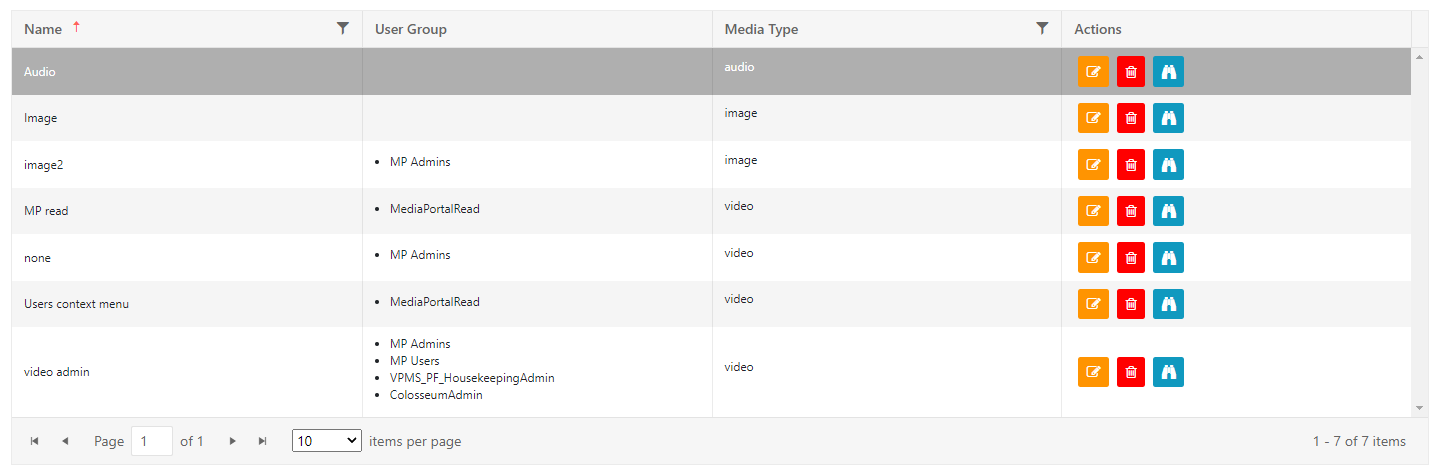
Different combinations are possible. A MediaManager from the Post Production department can have a different set of function per video than a Browse User from the archive.
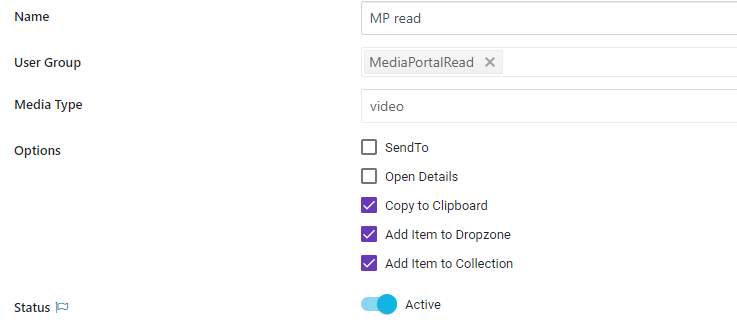
Select the corresponding Group or Type and assign functions via the check boxes below.
Endpoints
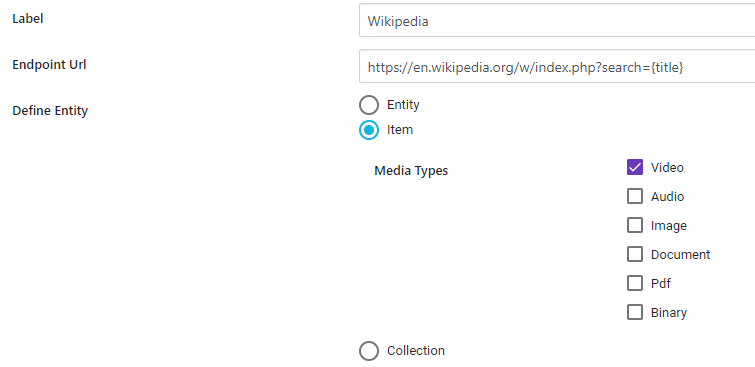
A user can open different external links via the context menu. Here you can define which ones are available

Provide
-
A label
-
The URL which will be opened
-
Add in curly brackets additional Parameter
-
{title} - metadata field via technical name of metadata
-
{itemID} - ITEM-VX-4711 as example
-
{collectionId} - COLLECTION-VX-4711 as example
-
-
-
Differentiate if displayed for certain media types / items or collections
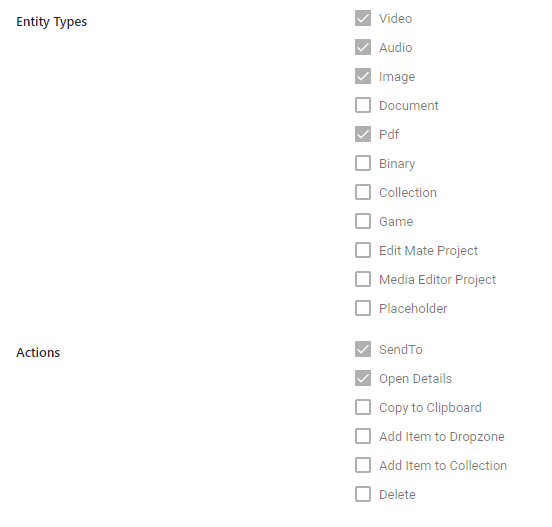
Bulk Editing
On these types a bulk editing will show the options listed on actions:
Config
It is possible to change the label for the 'Flow' entry on the context menu. Some customes e.g. prefer SendTo for legacy reasons
