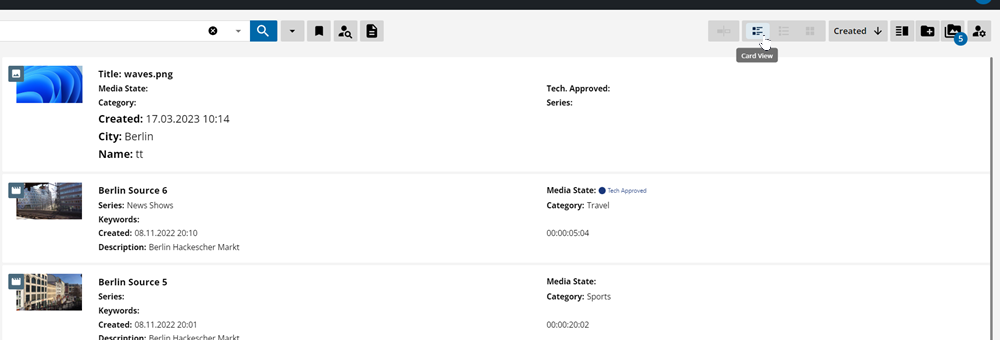
MediaPortal’s Card View displays search results in a compact card of objects along with the most important, configurable metadata fields as well as a thumbnail for quick reference. This grants users an overview of a large quantity of search results at a glance.

The Card View can be selected on the view selector and provides a range of information as expressed in the example below.