
Definition
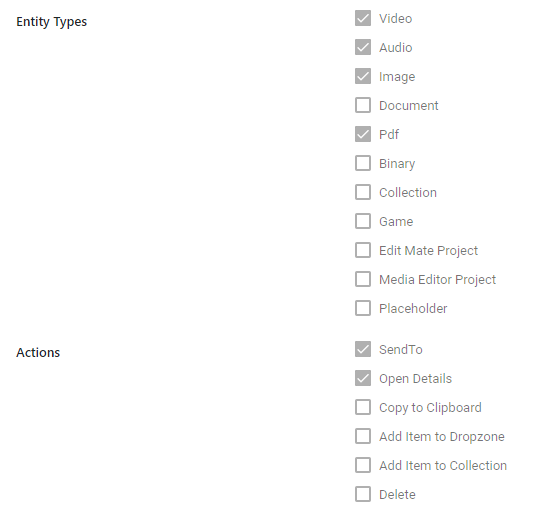
Define which context menu entries are available for different object types or user groups.
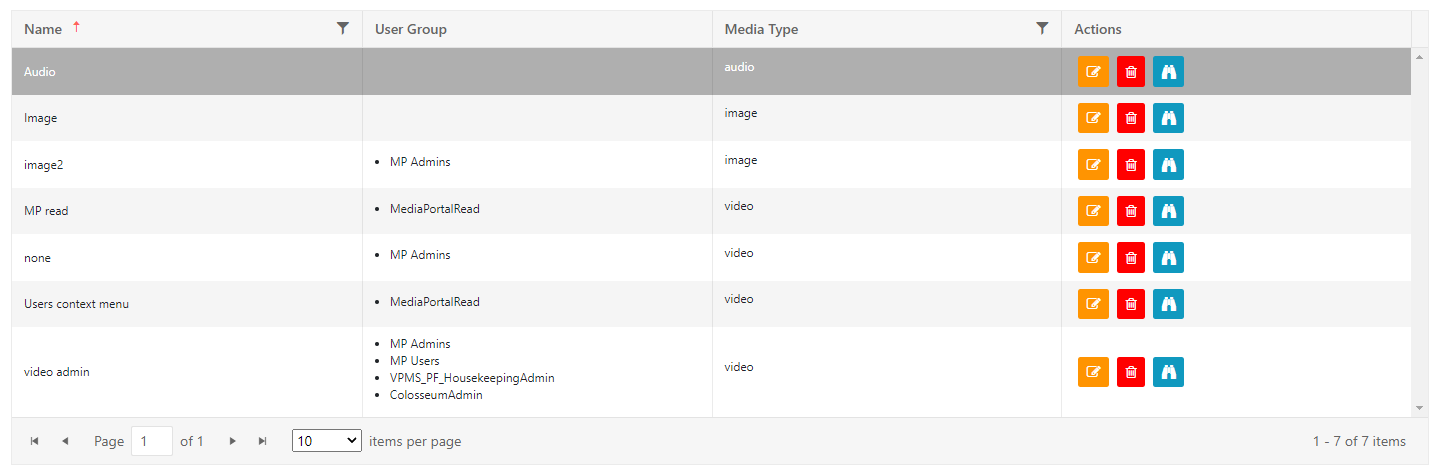
Different combinations are possible. A media manager from the post production department can have a different set of functions per video than a Browse User from the archive functions per video than a Browse User from the archive.
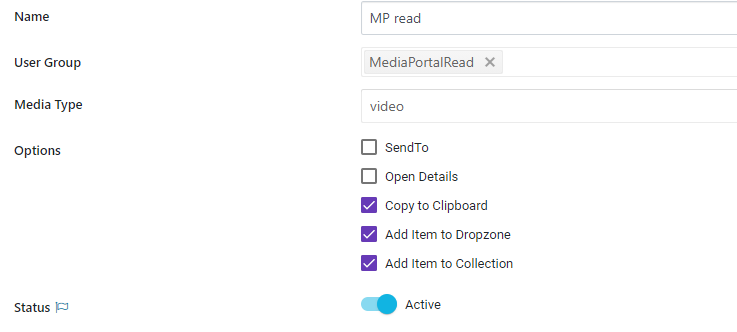
Select the corresponding Group or Type and assign functions via the check boxes below.
Endpoints
A user can open different external links via the context menu. Here you can define which ones are available.

Provide:
-
A label
-
The URL which will be opened
-
Add in curly brackets additional Parameter
-
{title} - metadata field via technical name of metadata
-
every metadata can be added by putting the technical name into curly brackets {}
-
-
{itemID} - ITEM-VX-4711 as example
-
{collectionId} - COLLECTION-VX-4711 as example
-
-
-
Icon: Upload a custom SVG
-
Differentiate if displayed for certain media types / items or collections
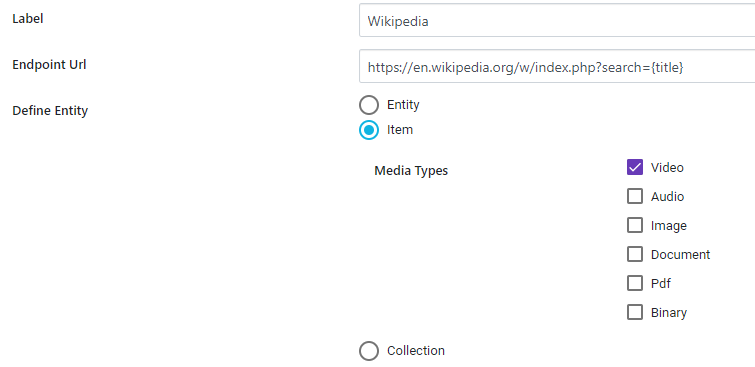
Multi Select
Above not only works for single selection but also can create a deeplink on multi selected items while combining the different parameters. An example would be:
URL Configuration:
https://www.RootURL.com/results?Title={title}&itemId={itemId}
Results in:
https://www.RootURL.com/results?Title=FirstItemsTitle&itemId=ITEM-VX-2956&Title=SecondItemsTitle&itemId=ITEM-VX-2955
for 2 items being selected for the deeplink creation.
Please note that the option exists for Items as well as Collections but does not allow to mix a multi selection of items and collections. Dependent on configuration and user selection only one object type will be considered for building the deeplink.
Generic POST/PUT Calls
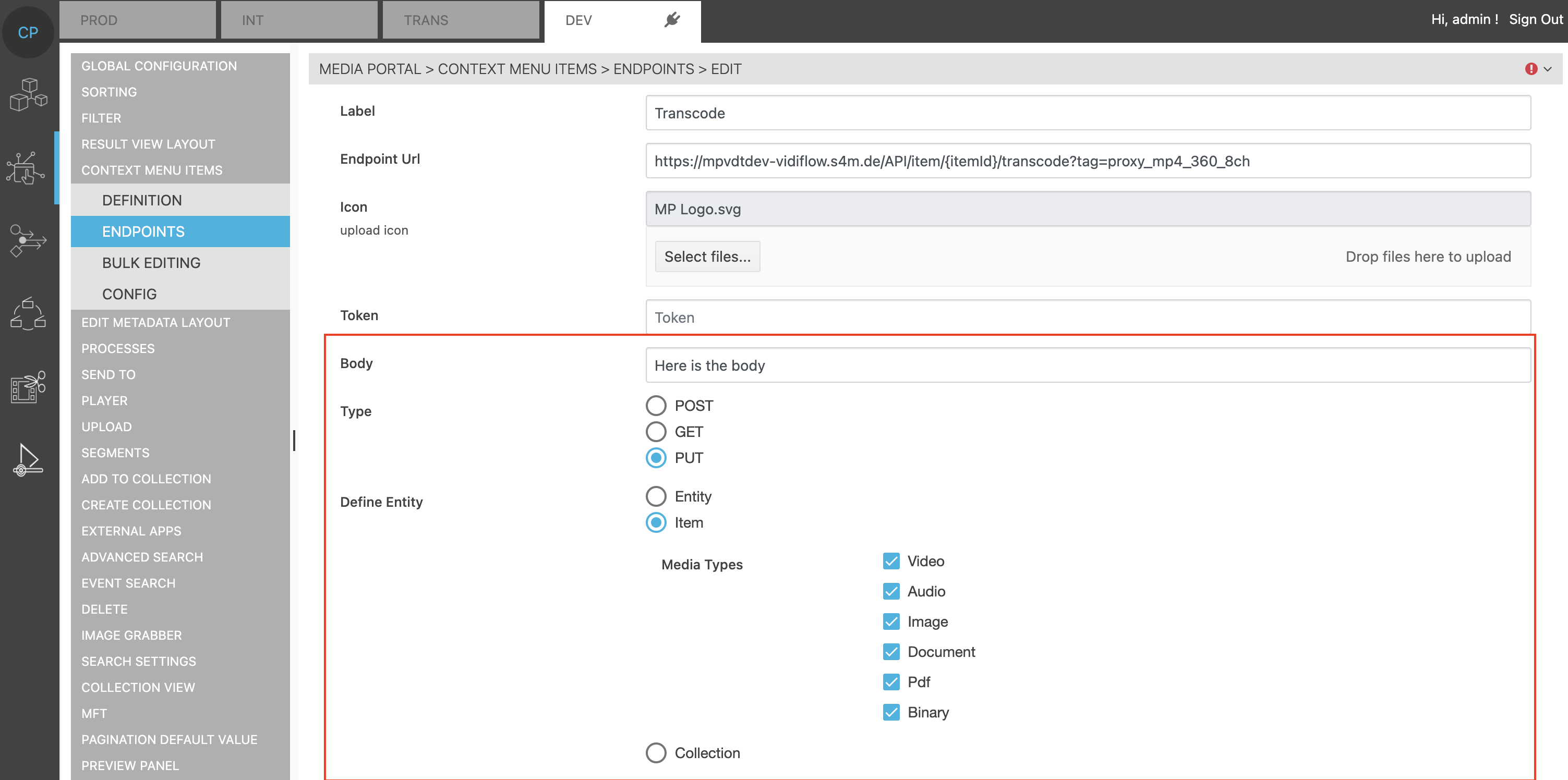
Create generic POST or PUT Calls. The body can be added to the call as well. The token will by default use the MediaPortal token. Another token can be added as static value.
Bulk Editing
On these types a bulk editing will show the options listed on actions:
Config
It is possible to change the label for the 'Flow' entry on the context menu. Some customers e.g. prefer SendTo for legacy reasons:
