
Here, dynamic enumeration values can be configured to be used as parameters for recordings.
It is possible to create and maintain enum values for VidiControl’s Capabilities by ConfigPortal.
This feature is location dependent.

The Enums can be configured in ConfigPortal (1). Each Enum is attached to a location or resource tag.
Enums can be modified (2) or added (3).
Create a new Enumeration
After clicking on the Add button (3), a dialog opens where the user can define an enumeration.
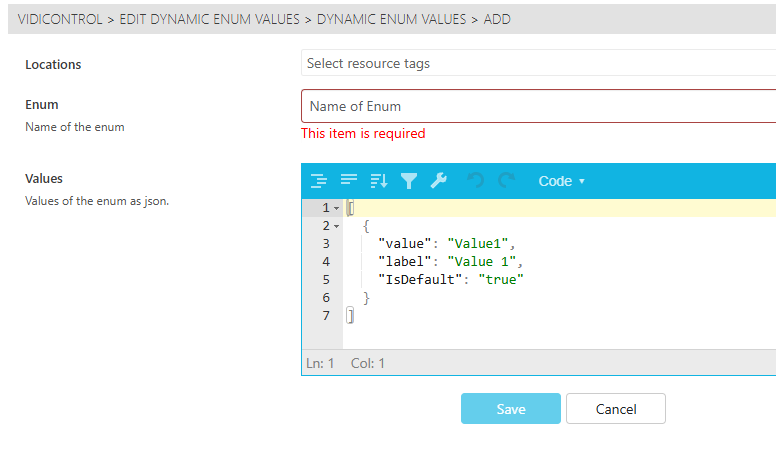
First, the user has to select a resource tag (purpose or location) for which this enumeration is valid.
Then, a name has to be defined. This name will act as a label and as a technical representation for the Dropdown in the Booking dialog.
As this is a technical name, please refrain from using whitespaces or symbols.
The values have to be defined as a JSON with a technical value, a label and the information, whether the value is default. Only one value can be default.
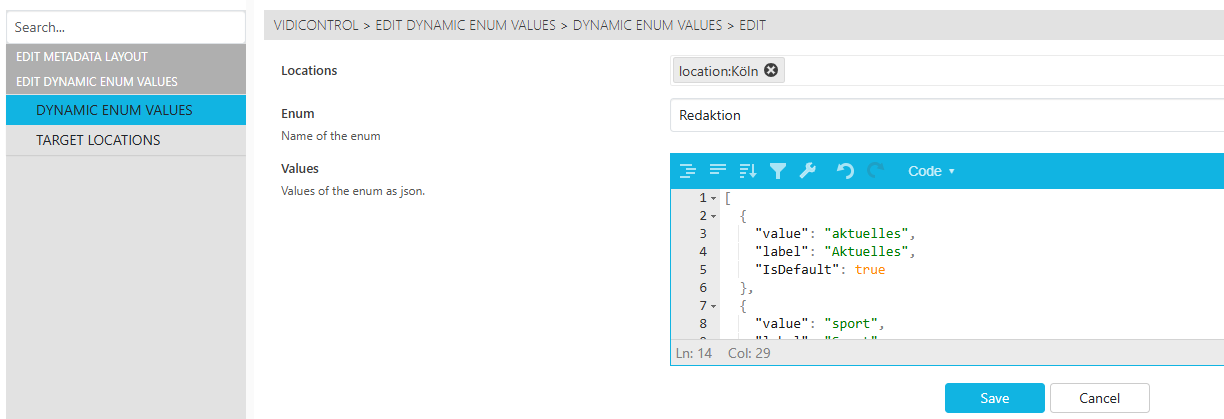
An example for the JSON:
[
  {
    "value": "aktuelles",
    "label": "Aktuelles",
    "IsDefault": true
  },
  {
    "value": "sport",
    "label": "Sport",
    "IsDefault": false
  },
  {
    "value": "entertainment",
    "label": "Unterhaltung",
    "IsDefault": false
  }
]