
Per default, VidiEditor publishes the video in its original aspect ration without any crop applied. For the publish of videos for mobiles, VidiEditor allows to switch the aspect ratio via a dropdown in the timeline player.
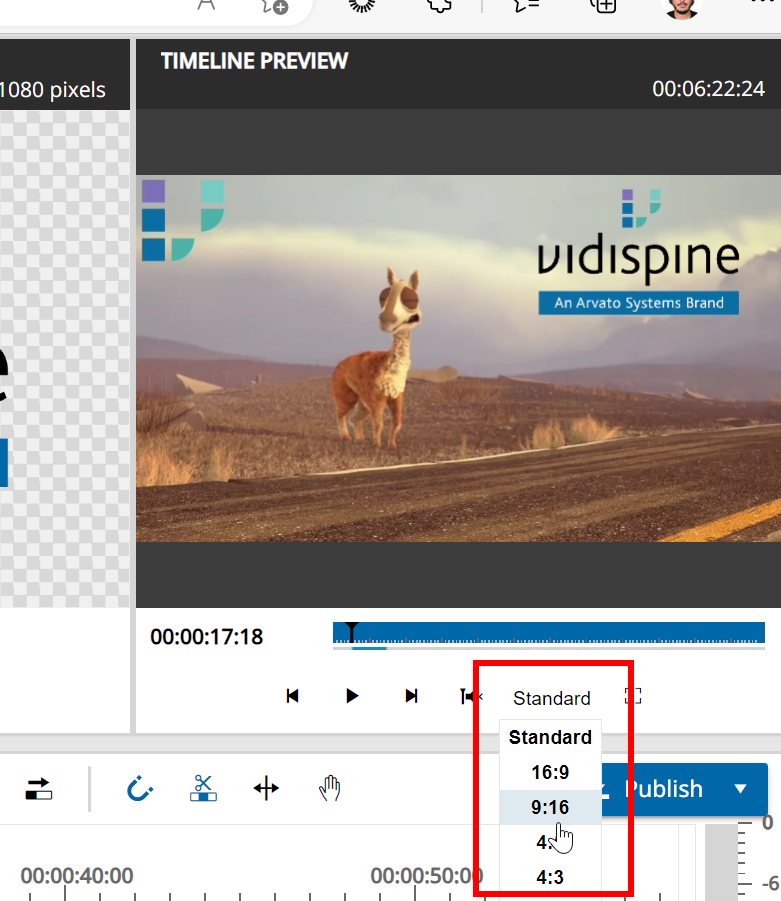
VidiEditor allows one to switch from standard to:
-
16:9
-
9:16
-
4:3
-
1:1
After selecting any of the listed options you will see the visible area with a greyed out area around it. The greyed out area will be cropped during publish process.