Spectrum Playout
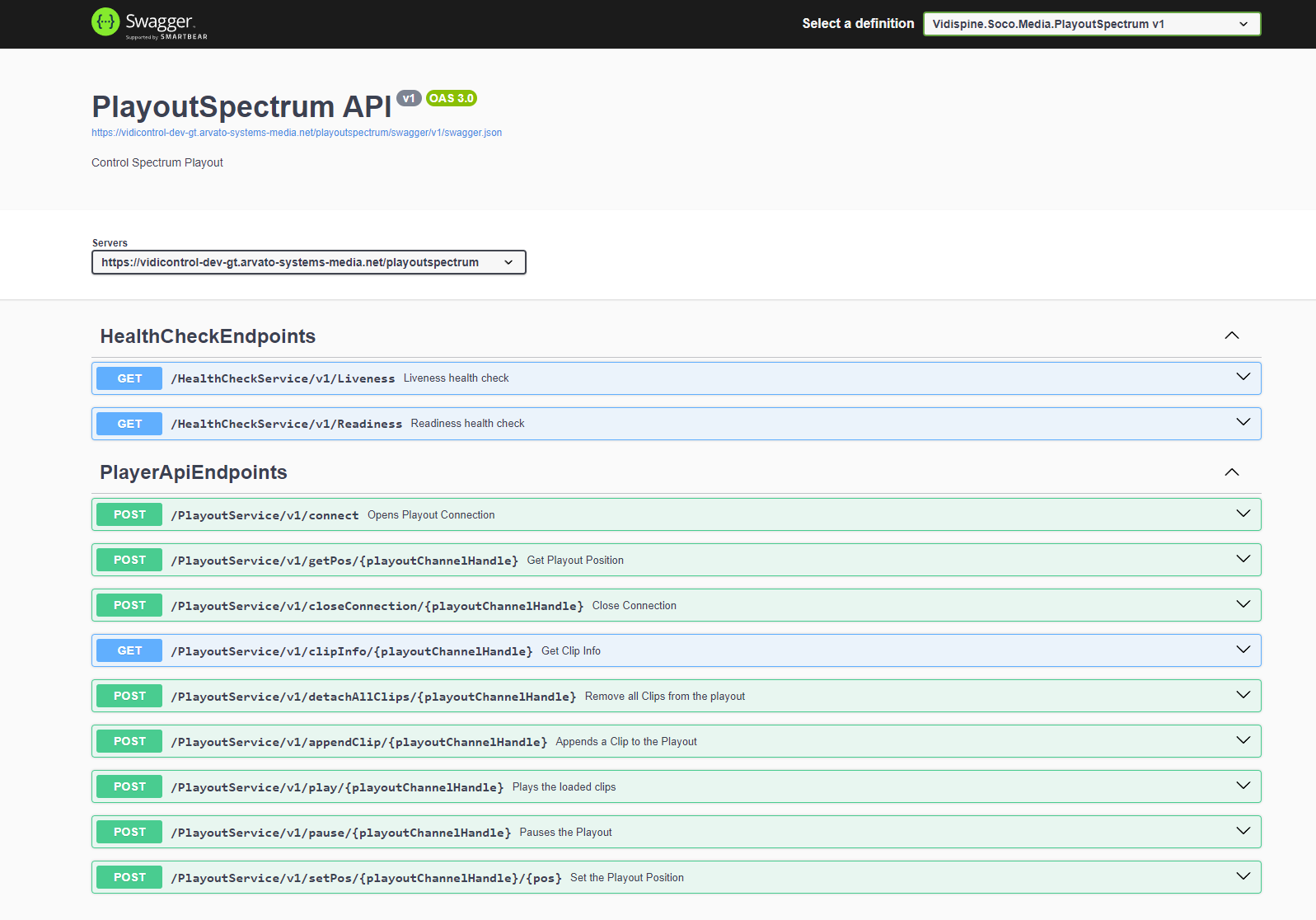
The Spectrum Playout module is a module that allows control of a Spectrum playout through a web service. Currently, the Spectrum is controlled by the Spectrum Player API, which is a DLL that cannot be directly used by a web browser.
Setup
The installation of a Spectrum playout is done by a dynamic playbook. Below is an example (91_vpms3.playoutspectrum.v2.yaml):
################################################
# playoutspectrum                                  #
################################################
---
playoutspectrum:
  base:
    default:
      #######################################################
      # App Paths / subpaths / routes                       #
      #######################################################
      app_path_playoutspectrum: '/playoutspectrum'
---
playoutspectrum:
  playbook:
    name: PlayoutSpectrum
    abbreviation: playoutspectrum
  default:
    endpoints:
      http:
        fqdn: "{{ (default_endpoint_scheme + lookup('prepared_config', 'kubernetesPublicEndpoint') + '/' if not lookup('prepared_config', 'kubernetesPublicEndpoint').endswith('/') else '' | string) | urlsplit('hostname') }}"
    helm_chart:
      install: true
      chart_name: playoutspectrum
      chart_subpath:
      chart_folder: VidiControl/Playout/Spectrum
      chart_category: VPMS
      chart_namespace: "{{ server_config.system.name }}-vctl"
      chart_instance_name: playoutspectrum
      chart_version: 24.4.243832-prerelease
      chart_values:
        hull:
          config:
            general:
              globalImageRegistryToFirstRegistrySecretServer: true
              fullnameOverride: vctlplayout
              data:
                installation:
                  config:
                    customCaCertificates:
{% for key, value in vpms3.global.system.ssl.custom_ca_certs.items() %}
                      {{ key }}: "{{ (value | singleline) + '\n' }}"
{% endfor %}
                endpoints:
                  playoutspectrum:
                    uri:
                      playoutspectrum: "{{ default_endpoint_scheme + lookup('prepared_config', 'kubernetesPublicEndpoint') + vpms3.playoutspectrum.base.default.app_path_playoutspectrum }}"
            specific:
              ingress:
                controllerClass: "{{ vpms3.global.system.ingress.controllerClass }}"
              playoutspectrum:
                tag: "24.4.243832-prerelease"
                allowedhosts: '"*"'
          objects:
            registry:
              vpms3:
                server: "{{ vpms3.global.docker.registry.endpoint }}"
                username: "{{ vpms3.global.docker.registry.user }}"
                password: "{{ vpms3.global.docker.registry.pass }}"
            ingress:
              playoutspectrum:
                tls:
                  "{{ lookup('prepared_config', 'kubernetesPublicEndpoint') }}":
                    hosts:
                      - "{{ lookup('prepared_config', 'kubernetesPublicEndpoint') }}"
No special configuration besides the version of the Helm chart and the Docker images is necessary. Setup can be done using the tag “playoutspectrum”.
Then a set of endpoints has been created which need no further configuration as all necessary information can be provided in the calls.