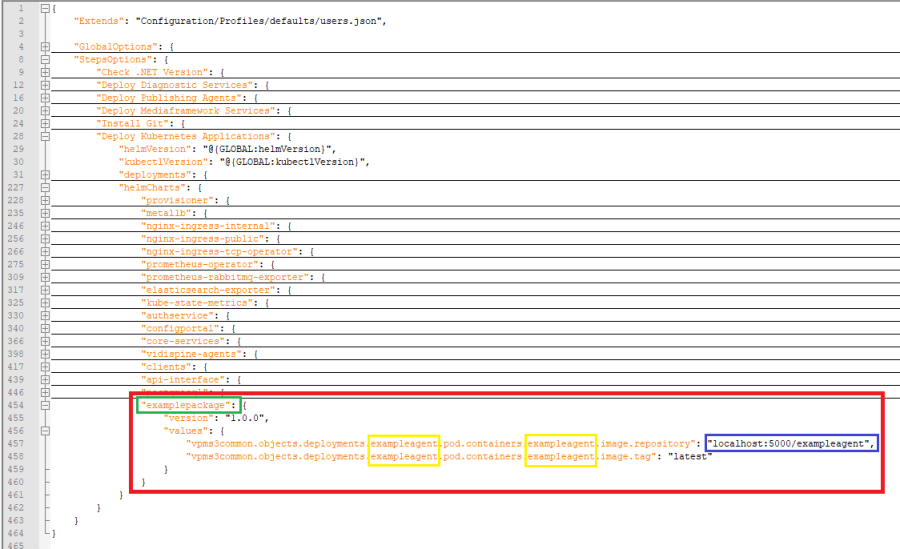
Navigate to the "StepOptions" -> "Deploy Kubernetes Applications" -> "helmCharts" section in the file and add a new JSON property (highlighted below in red) with the name of the helm chart you chose in section Adding helm charts (marked in green).
For each of your agents add a line for the agent's image repository and tag. Make sure that the deployment and container names (marked in yellow) do match the ones you chose in Deployments/PODs/Containers/Volumemounts. The image's repository (see below in blue) must be equal to the one you specified in Pushing a docker image.
You can use this snippet as a blueprint

