This article is divided into the following sections:
Manage your VidiNet services programmatically using our API. See the API documentation for available features.
This following guide explains how to use your VidiNet account to authenticate, create, and apply changes to your services through the API using Postman.
Authentication
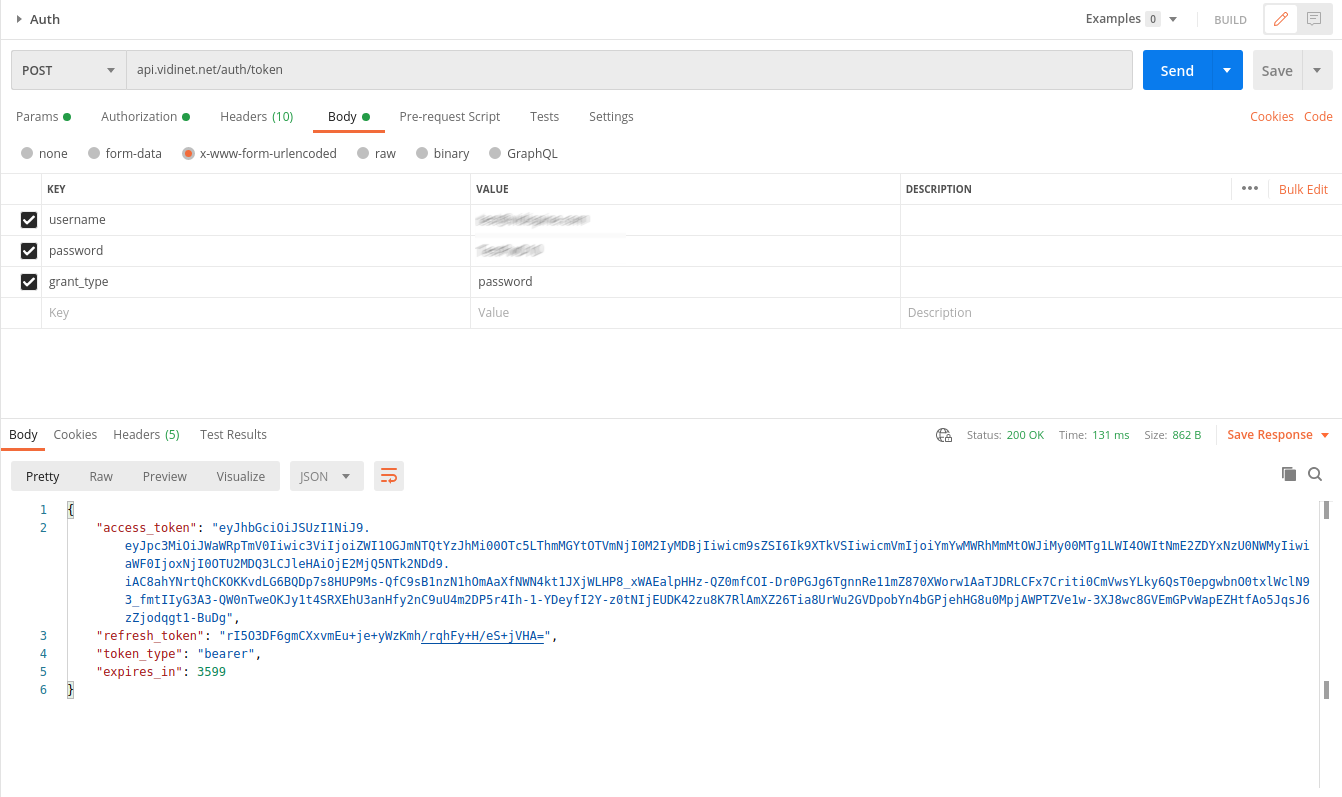
Generating an access token
Use your VidiNet account credentials to generate an access token.
Using the access token
Select the Bearer token authorization type in Postman and enter access_token from the response to authenticate towards all endpoints in the API.
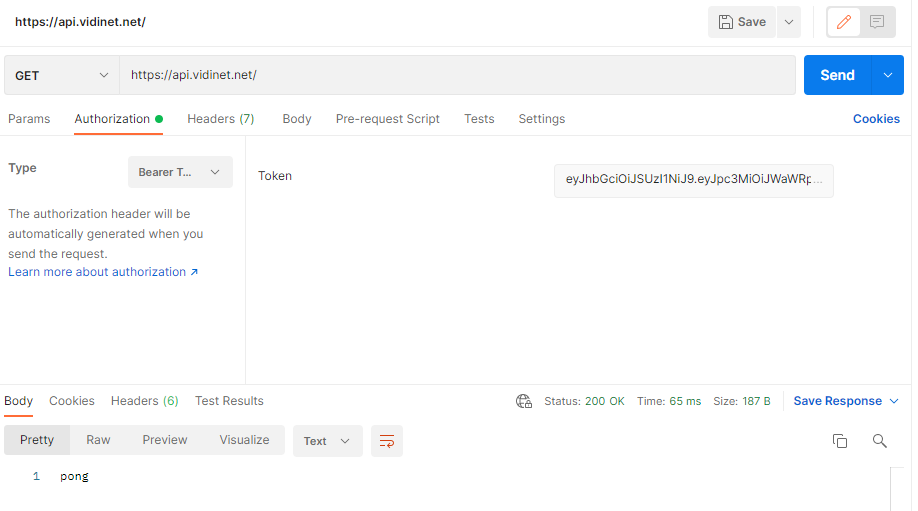
Don’t forget to set your Request Header to “Content-Type = application/json”
Service creation
This is an example of the creation of a VidiCore Starter Edition in Ireland with restricted IP access.
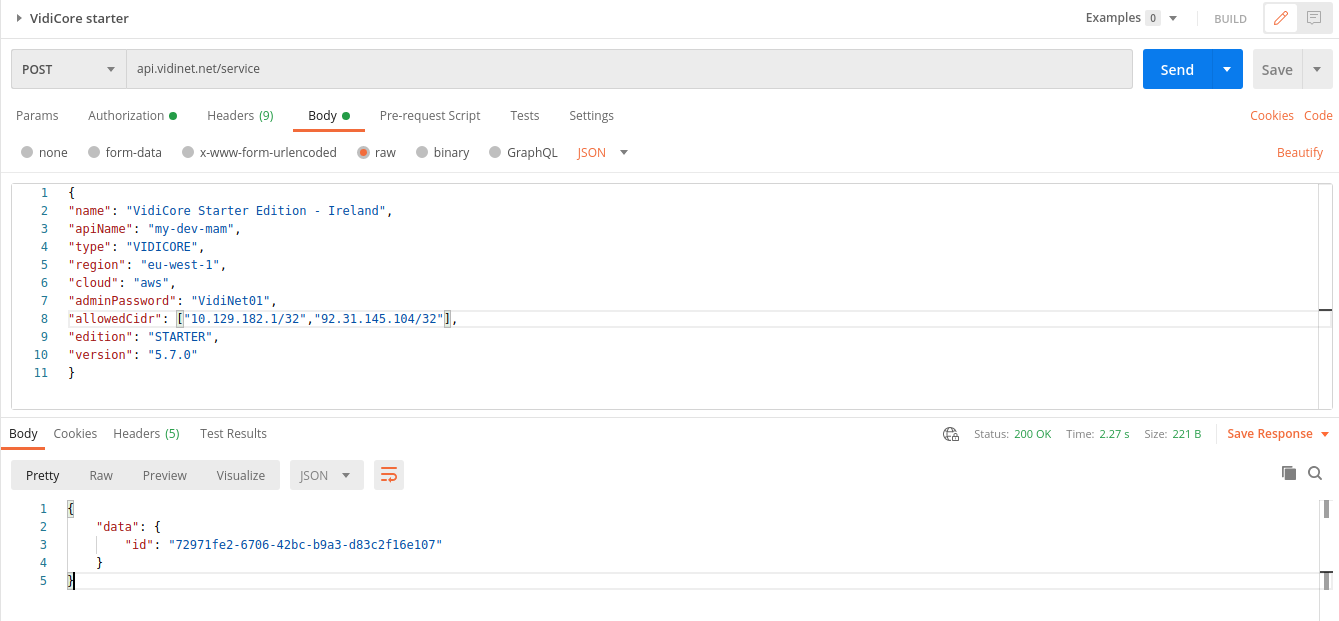
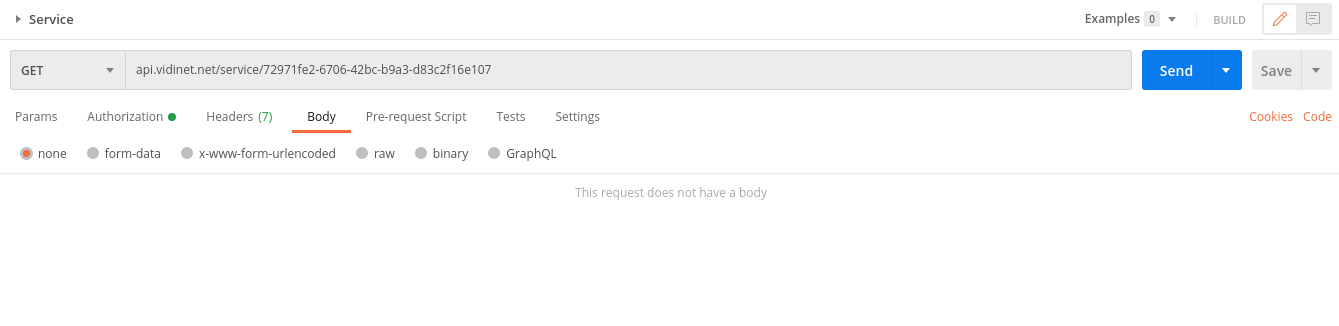
Use the unique identifier from the response to check the service state
Update service
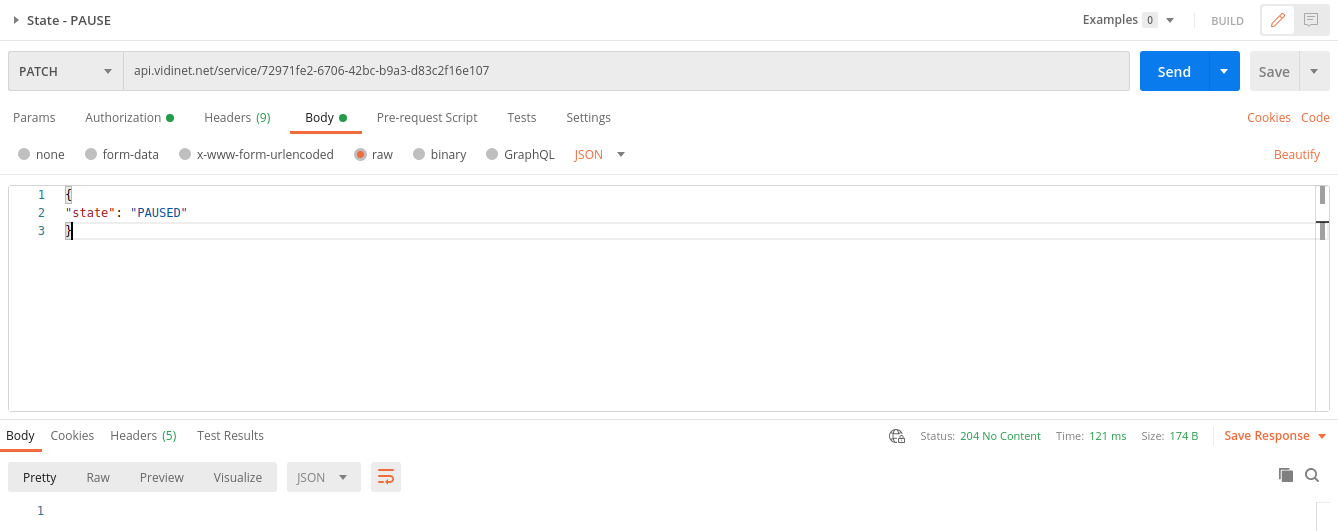
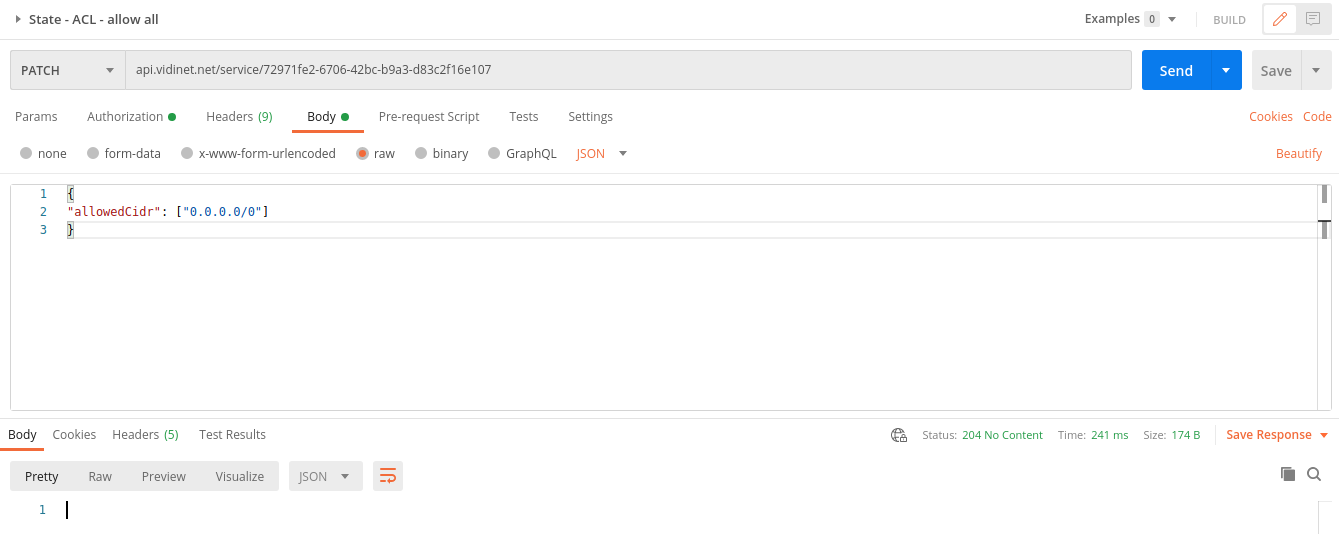
Use service endpoint with PATCH method to apply changes to your service.
This example will allow public access to the previously created VidiCore service
Set desired state of your service