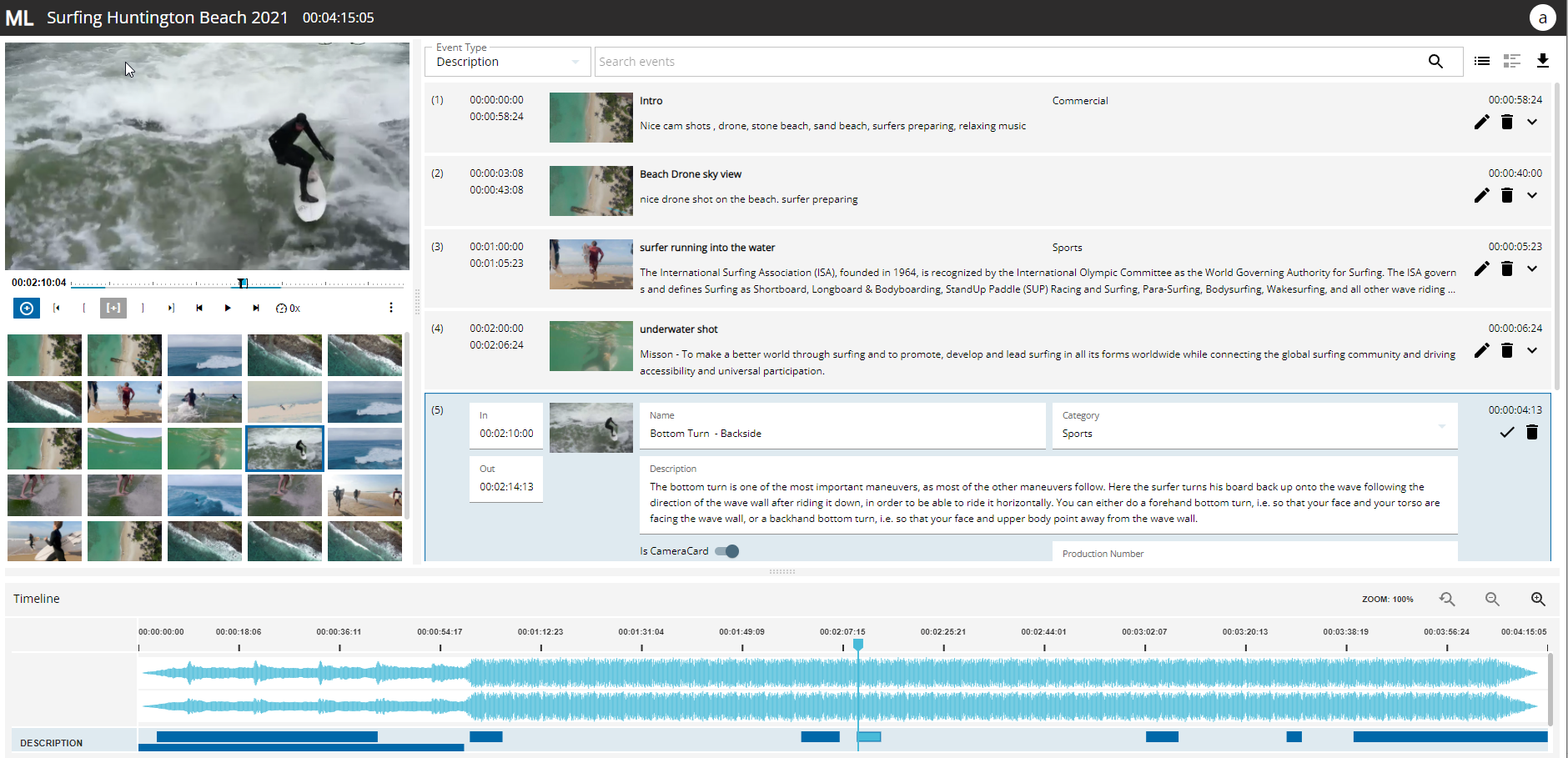
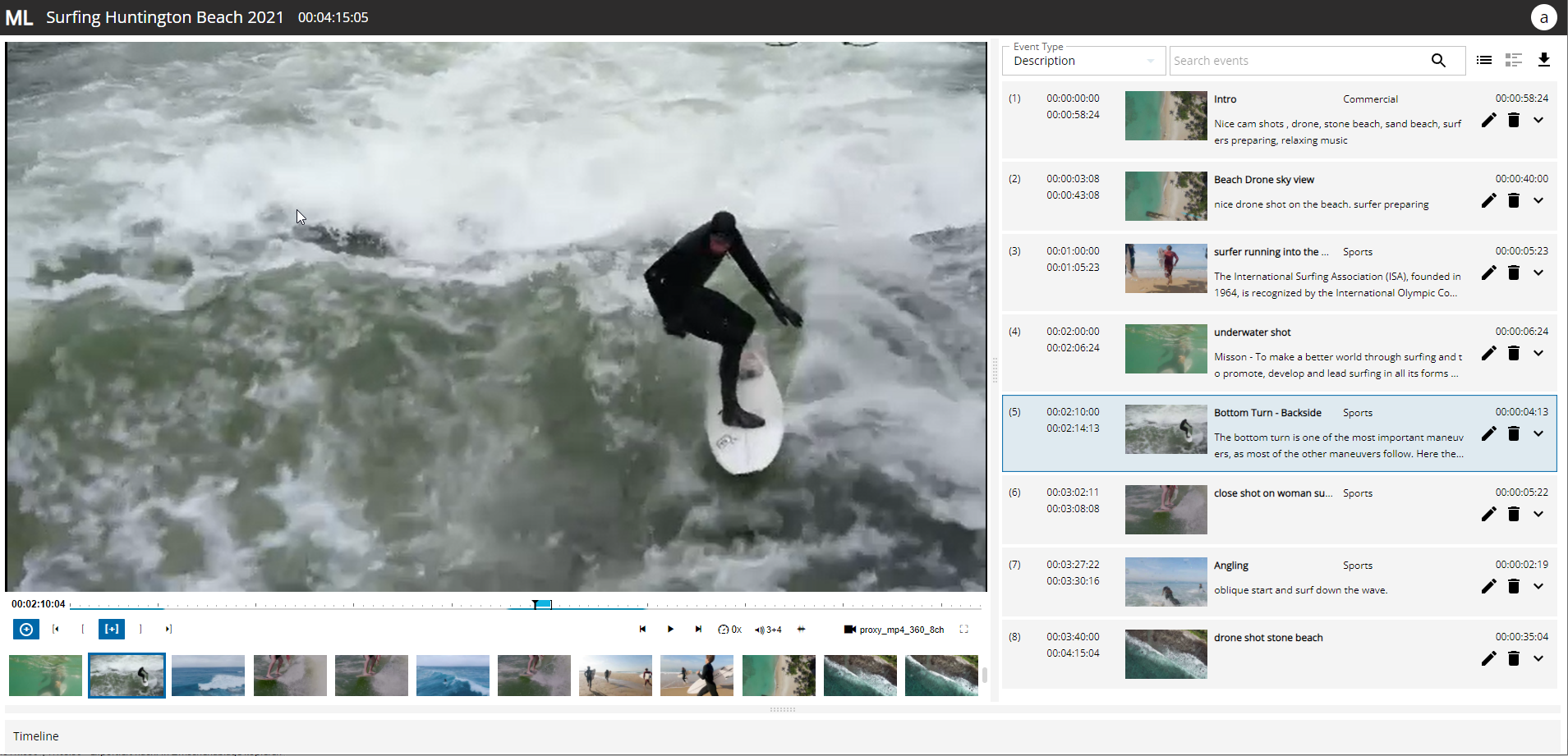
MediaLogger is composed of the following main areas:
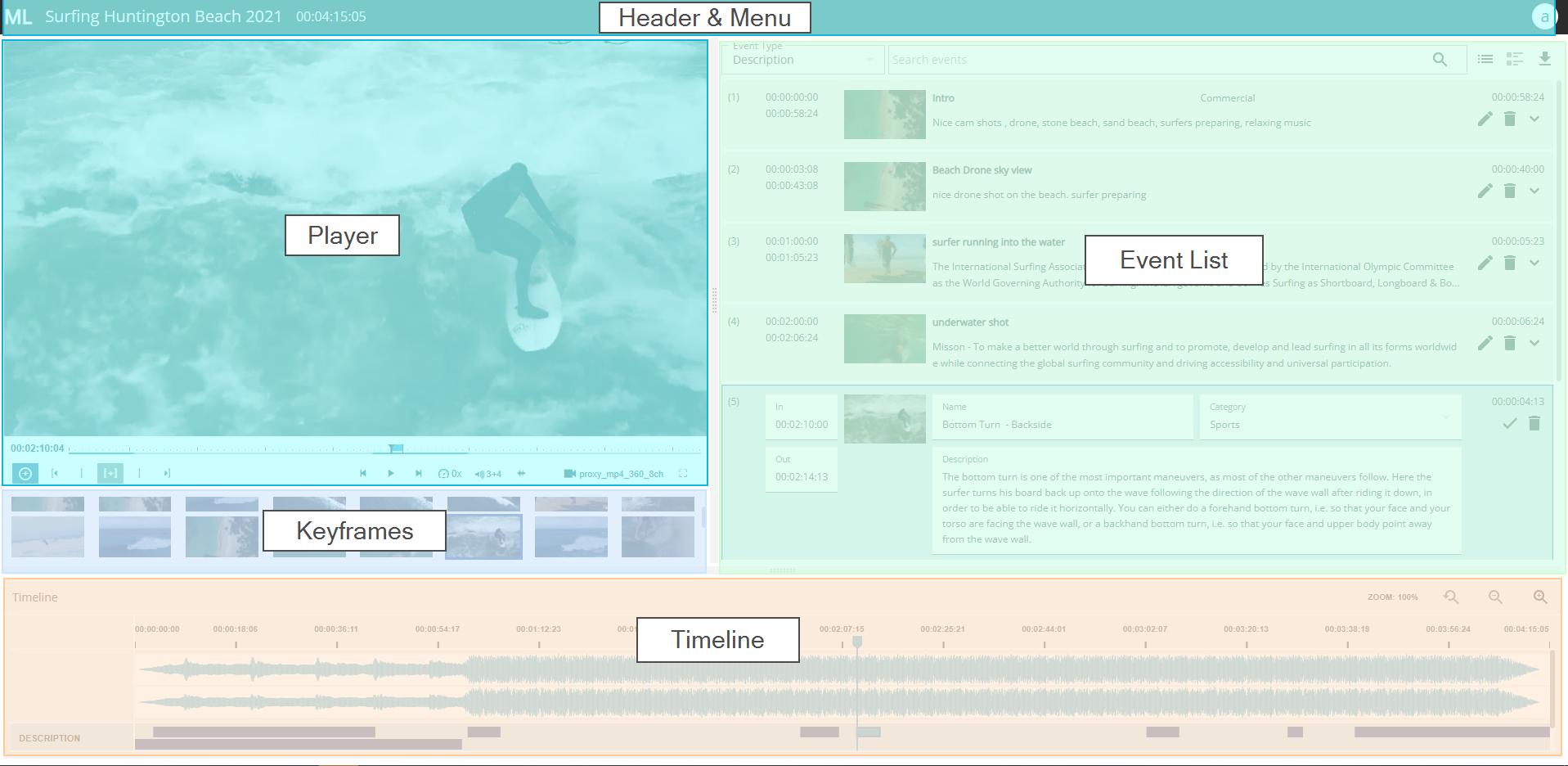
Header: shows the video name and contains the main menu
Player: to control the video/audio playback and set IN/OUT markers
Keyframes: shows the automatically generated keyframes for a fast overview of the video
Event list: shows existing events and is the main area to edit the events
Timeline: shows all events on a timeline
Users can adjust the size of the layer, the event list or timeline area by drag and drop of the splitter control between the different areas. If one wants to reset the layout, this is possible by selecting “Reset layout” from the main menu.
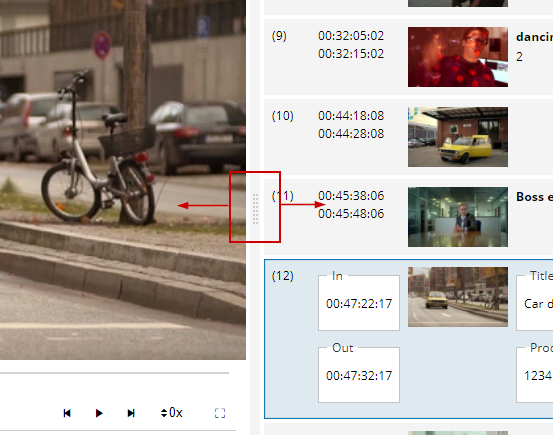
In this manner one can determine whether the player, the event list, or timeline occupies more space of the screen.