
It is possible to allow the user grabbing images from the VidiEditor Source Player. This requires a system operating VidiEditor together with Vidiflow. The selection of the media shape to be used as well as the image grabbing process is executed by VidiFlow. VidiEditor simply starts the VidiFloew workflow as fire and forget workflow and inputs the selected timecode position as workflow input parameter so the expected image position can be grabbed inside the workflow.
This can be configured in:
Configuration Portal → VidiEditor → Media → Image Grabber
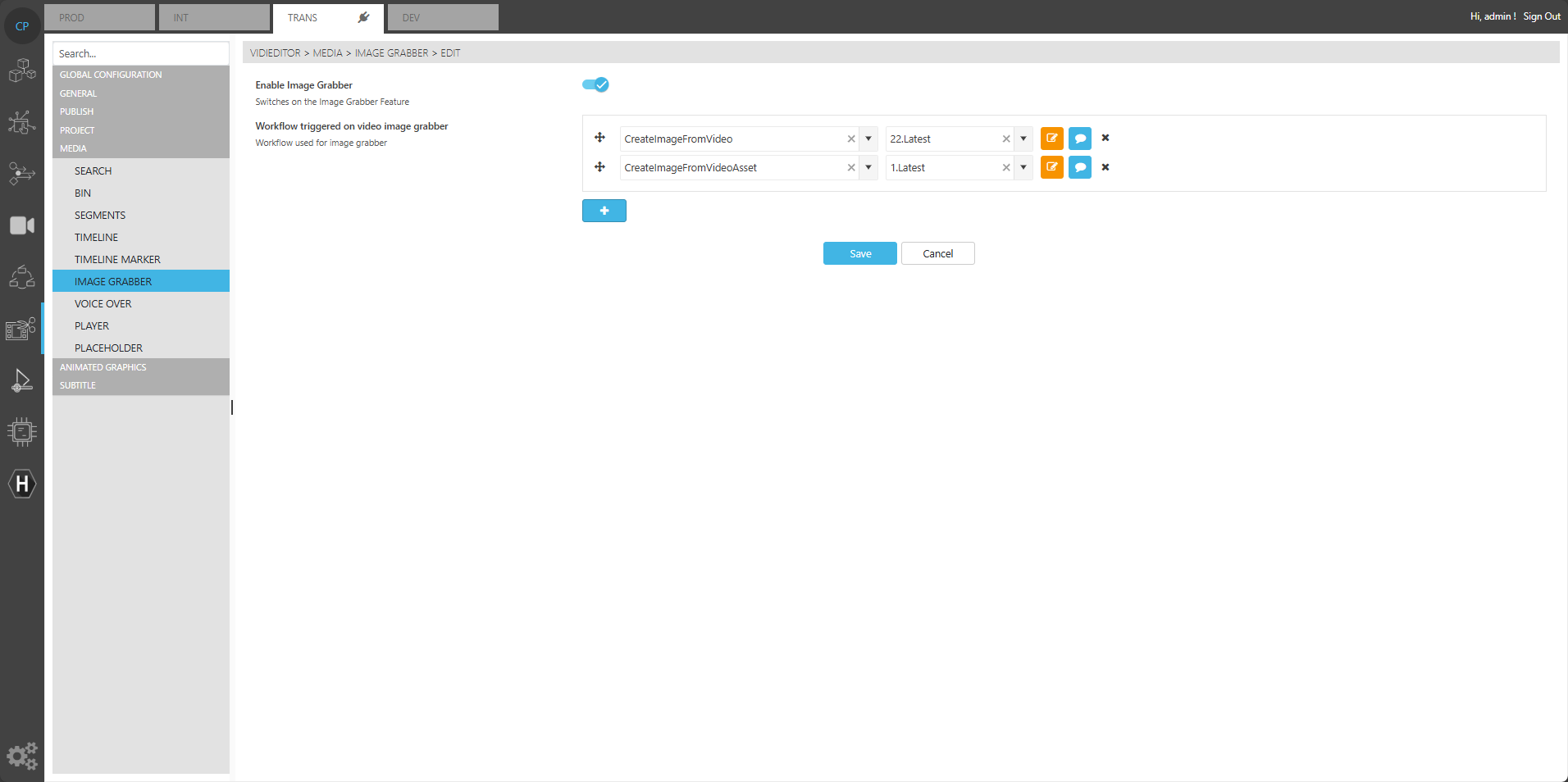
Where following options are available:
Enable Image Grabber: Turns on the feature so the user sees the image grabber button in the source player GUI of VidiEditor.
Workflow triggered: Selects one or multiple VidiFlow workflows with name and version. Clicking the VidiEditor Image Grabber button will display the list of configured workflows to select from. If more the 1 Workflow is configured the Image grabber shortcut (Source Player Shortcuts) will trigger the 1st configured workflow.
Please ensure a suitable VidiFlow workflow is set up to use this functionality end to end.