The “Ripple Edit” option can be turned on and off in the timeline's toolbar. While turning it on users can trim the segments in the timeline while ensuring that subsequent segments in the timeline are intelligently repositioned and shifted by the same degree.
Toolbar Icon
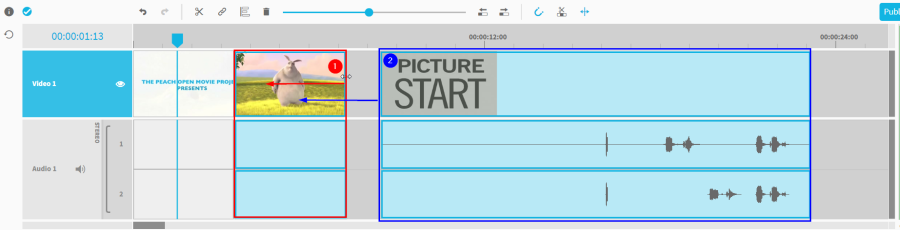
Example ripple edit (trim)
The following example illustrates this behavior. Where segment (1) is trimmed by the user while segment (2) moves by the amount the same amount as segment (1) was trimmed.
This option works on single as well as on multi tracks in the timeline:
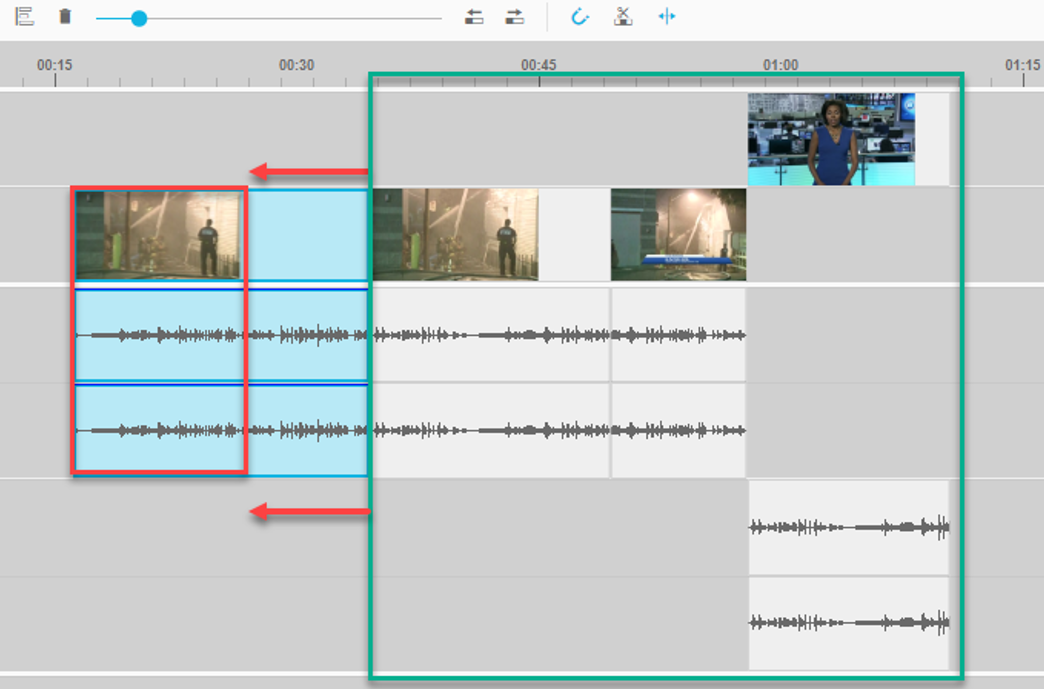
While the ripple edit shifts segments on trim interaction, the user also has possibilities for ripple delete.
Ripple delete gaps
Ripple delete of gaps can be used to speed up video editing process considerably. Users can just remove any gap between segments and the subsequent segments in the timeline will be shifted forward to fill up that gap simultaneously. An example illustration can be seen as follows.
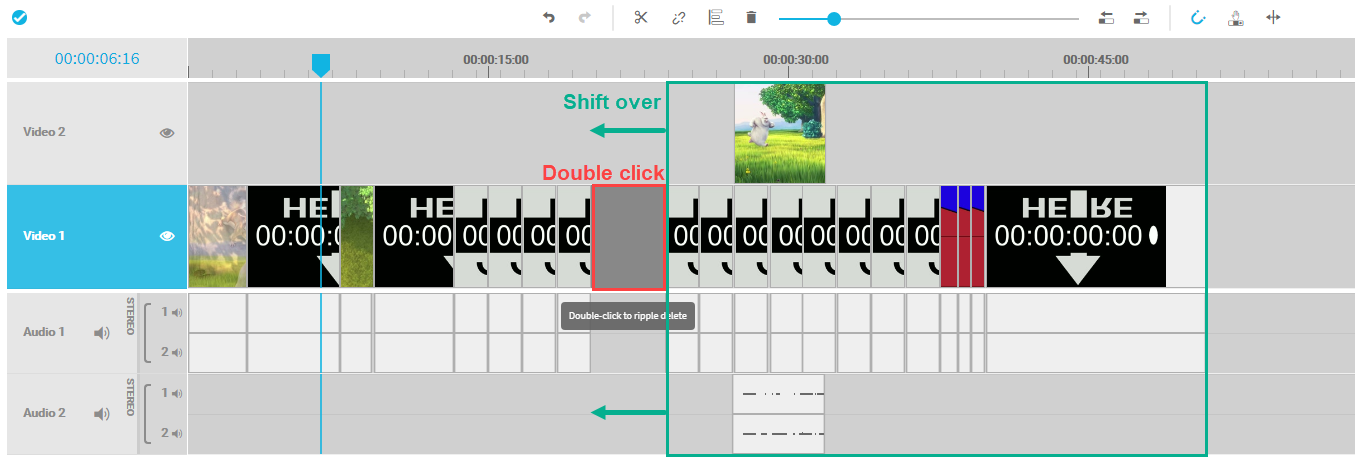
Ripple Delete segments
Apart from the use of the ripple delete for gaps, it is also possible to ripple delete a segment directly. While deleting a segment normally would create a gap and without affecting other segments than the one selected, the “Ripple Delete” option also closes the gap created on delete and shift over subsequent segments. It can be seen as combined interaction of normal delete and double click on gap.
The “Ripple Delete” option for segments can be executed in the context menu of a segment or via keyboard shortcut (compare Keyboard Shortcuts ).
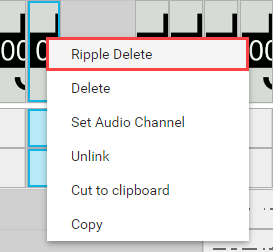
The following figure shows a situation in which the highlighted segment will be ripple deleted and forcing the subsequent segments to move to a new position.
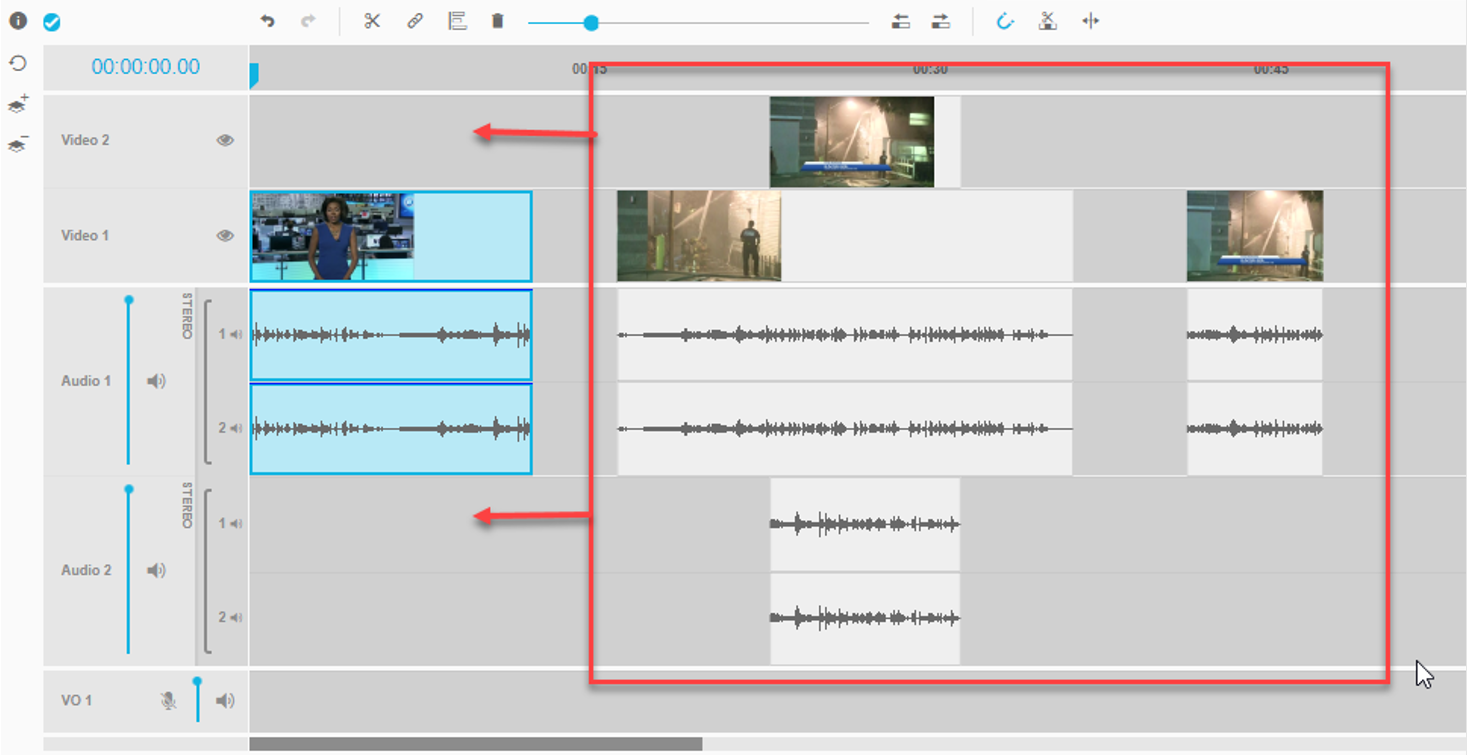
In result the timeline will look as follows: