
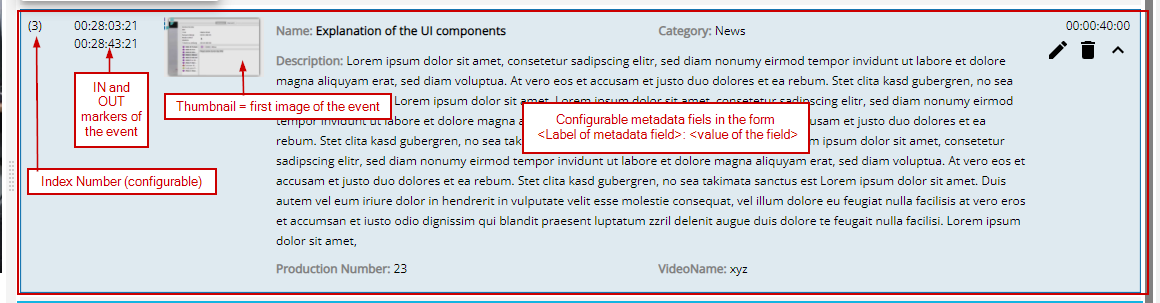
Depending on the customer configuration done in ConfigPortal, certain metadata fields are shown for an event. Depending on this configuration, an index number, the original timecode or a thumbnail for each event are displayed. Per default an event consists of following parts:
|
Symbol
|
Meaning |
Explanation |

|
Edit event |
Will open the edit mode of the selected event |

|
Delete event |
Will delete the selected event (after a confirmation dialog was accepted). |

|
Show details |
Will show all metadata fields of the event |

|
Hide details |
Will collapse the selected event and shows it in condensed view |

|
Commit changes |
The symbol is shown when being in edit mode. By pressing the button, all changes will be commited and saved. |