
The following items on the list encompass breaking changes, features, and fixes that are relevant for the major release.
Patches for this major release
Patches are shown based on recency and will appear below as soon as they are issued.
Release 25.2.10 on
What’s new?
Breaking Change
In order to handle default values managed by the ConfigPortal (CP), the CP default metadata structure has been updated. This change is introduced with version 25.2 of CP and requires a minimum version of 25.2 for both MediaPortal and ConfigPortal.
Camera Card Ingest - Non-Stitched Mode
Camera Card Ingest via Web Upload [MP UG]
The Camera Card Ingest - Non-Stitched provides an alternative ingest workflow for camera cards.
-
Alternative ingest flavour: Provides a new ingest option specifically designed for non-stitched camera cards.
-
Single item representation: Each camera card is represented as a single Vidispine item.
-
No proxy or single HiRes clip attached: Unlike the standard ingest workflows, this ingest method does not generate a unified proxy or single high-resolution clip.
-
Sequence and Timeline Documents: The ingested item includes both a Sequence document and a VidieEditor Timeline document that represent the structure of the original card.
-
Reference to individual items: Maintains references to individual items, each representing the separate high-resolution/original shapes and their respective proxies.
-
Detailed technical documentation is available here.
HiRes Playout
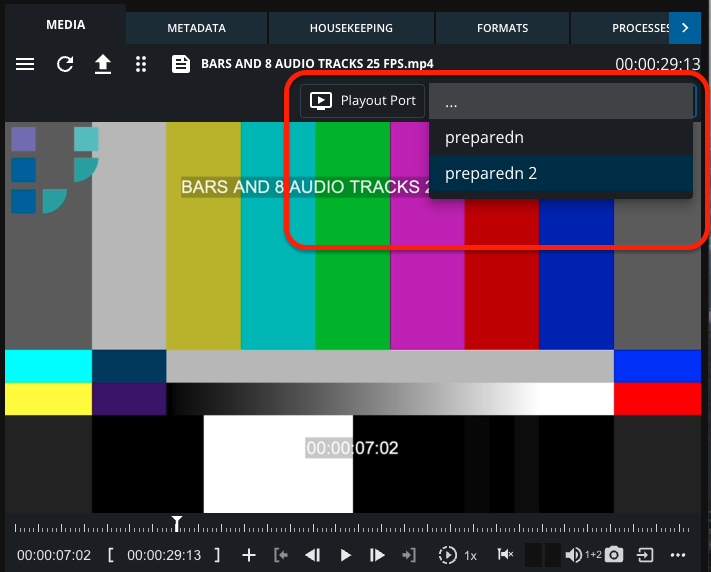
The HiRes Playout feature extends MediaPortal's Player functionality by adding support for direct video server playout control, alongside standard web-video (proxy) playback.
-
Dual control interface: Simultaneously controls web-based proxy playback and video server playout using a unified control interface.
-
Integrated video server commands: Playback commands (play, pause, seek, etc.) are sent both to the web player and to the configured video server playout port.
-
Controlled access: Only users or MediaManagers with elevated permissions can access and control HiRes Playout functions.
-
Server interaction: Supports direct interaction with external video servers, allowing high-resolution playback for review or broadcast operations.
-
Supported Video Servers: Currently supports Omneon Spectrum video servers.
User Settings
The User Settings feature has been updated to align with the design principles of other Vidispine products, providing a more consistent and streamlined user experience.
Key Features
-
Aligned User Interface: The updated view for user settings follows the design pattern of other Vidispine products, improving consistency across platforms.
-
Customizable Theming and Location: Users can configure their preferred Theming and Location settings directly.
-
Simplified Data Structure:
-
The internal data structure for storing user settings has been simplified.
-
Now stores user preferences as simple key/value pairs.
-
Simplification enables easier management and integration via external API calls.
-
Benefits
-
Easier maintenance and future enhancements.
-
Simplified integration with external systems via API.
-
More intuitive experience for administrators and users.
Upload Adjustments
The Upload Adjustments enhances MediaPortal’s upload process with:
-
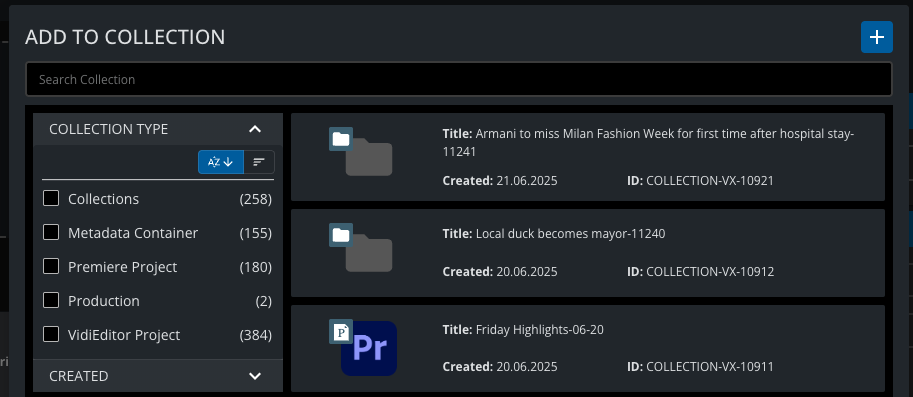
Upload to Collections: How do I ingest an item?
Users can select pre-configured Collection Types when uploading. Uploaded files are automatically assigned to collections or, in case of VidiEditor/Premiere, added to the latest project version.
-
Improved Upload Performance:
Admins can configure:-
Chunk Size
-
Parallel Threads
-
Use of Vidispine Storage Agent (VSA) for uploads
-
-
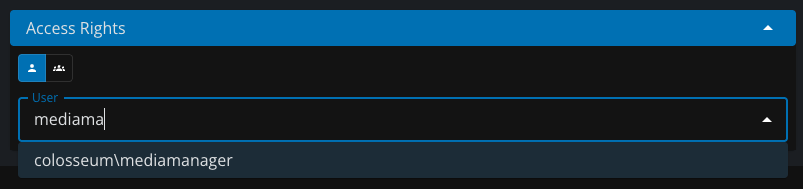
Access Rights During Upload: How do I ingest an item?
-
Users can assign Owner Rights at upload time to control access immediately.
-
Improvements and Third-party Support — TwelveLabs 1.3
The integration with TwelveLabs v1.3 enhances AI-powered video search and training capabilities in MediaPortal.
Key Features:
-
Support for TwelveLabs v1.3:
Full support for TwelveLabs 1.3 API for training and video search.
Reference: TwelveLabs v1.3 Documentation -
New Analyze Plugin:
-
Allows users to analyze video content by sending prompts.
-
Results can be directly utilized for editing workflows.
-
-
Dynamic Parameters:
-
Available search parameters (e.g., confidence levels, models used) depend on the selected TwelveLabs version.
-
Refer to TwelveLabs documentation for version-specific parameter details.
-
VSA Upload
The VSA Upload feature enables file transfers using the Vidispine Storage Agent (VSA) for:
-
Generic File Uploads
-
Camera Card Ingest
This improves upload performance and allows direct storage access via VSA.
Adobe Premiere Panel Updates
New enhancements to the Adobe Premiere Panel integration improve usability and import workflows:
-
Keyboard Shortcuts:
-
Quick import into Premiere Bin using shortcut keys (e.g. Ctrl + I).
-
-
Import into Opened Folder:
-
Supports importing directly into the currently opened folder inside Premiere Bin.
-
-
Renamed RAW Import Button:
-
The RAW Import button is now called Original for better clarity.
-
-
Proxy Import as Metadata:
-
Optionally import proxies only as metadata, optimizing performance for timeline syncing.
-
Update of Web-Render-Engine (WRE)
Enhancements to the Web-Render-Engine (WRE) include:
-
Audio Track Selection:
WRE now allows users to select specific audio tracks during playback. -
Support for Growing Files:
Enables playback of files that are still being ingested or processed. -
Placeholder Display for Incomplete Video Segments:
If portions of a video are not yet transcoded, WRE shows a placeholder image while indicating the known full duration.
Drag and Drop Updates
Enhanced Drag and Drop functionality differentiates the payload format based on context:
-
Search results: Send payload as XML or JSON.
-
Player (Preview Panel / Details View): Send payload as XML or JSON.
This allows better integration with 3rd-party systems that expect different payload formats.
Attach File
Enables direct upload of a file component to MediaPortal.
Users can select a single item from search results and upload a new file component to it. Option to either append the file component to the existing item or create a new item. Supports assigning an Ingest Workflow to process the uploaded file.
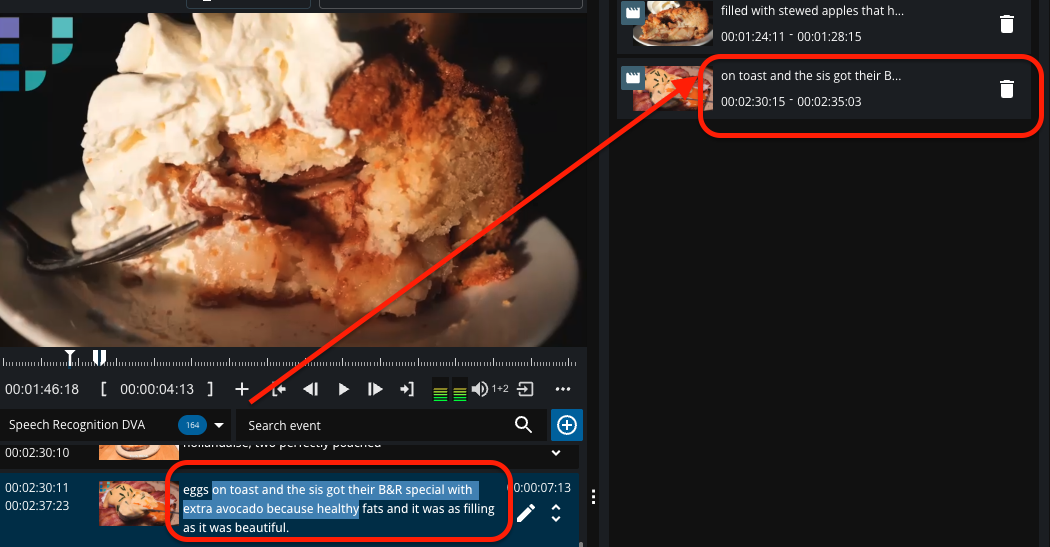
Select Words from Segments
-
Enables word-accurate selection within transcript segments.
-
Selected words can be added to the Dropzone for further processing and workflow automation.
-
Requires transcript services that provide timecode-accurate data (e.g., DeepVA, AWS).
Add Metadata on Workspace Creation
-
Workspaces can now include additional metadata fields at the time of creation.
-
These metadata fields are stored but not visible directly within the workspace UI.
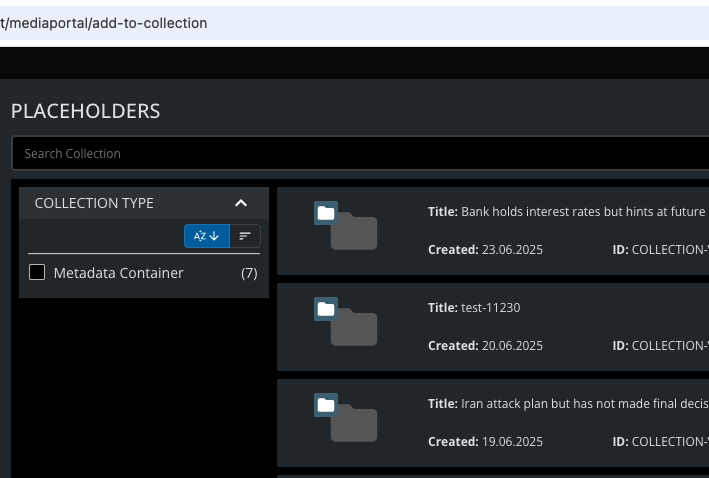
Add to Placeholder on Publish / As iFrame
How do I collect material? | Add to Placeholder on Publish / As iFrame
Introduced a dedicated route for the AddToCollection dialog. The dialog can be embedded as an iFrame for external applications. Supports filtering collections by type, specifically for metadata containers.
-
Add to Collection → Add to Premiere Project
-
Users are now also allowed to add the collected content to a Premiere project. The information about the selected project and content will be passed to a Vidiflow workflow. This workflow can then process the data - for example, by triggering restores, transcodings, or transfers. And can eventually integrate with Helmut Cosmo to add the content asynchronously to the project.
-
Fixes
|
Item# |
Item |
|
220308 |
Clearify Allowed Origins for Panel |
|
235148 |
Incorrect timecode is displayed at the last frame |
|
236013 |
Mandatory on metadata in upload |
|
236187 |
Default Values on CameraCard Ingest |
|
236685 |
Default metadata from CP handling |
|
237398 |
Media Portal Trim send to VidiCore |
|
237763 |
Action for "Add to Collection" and other options in the context menu of preview panel are not enabled |
|
237917 |
Placeholder search as filter option in MediaPortal |
|
237918 |
Filter can disappear with long list of external APPs on side navigation |
|
237924 |
Open Value from context menu fails on Details view |
|
238201 |
Not possible to create collection due to change in request structure |
|
238444 |
"Open Details" on Collections leads to vidicore Error |
|
238575 |
MP: "Add To Collection" doesn't add to _version of project |
|
238580 |
AudioTrack switch on AudioOnly crashes |
|
238585 |
Add possibility of owner rights to OWS |
|
238808 |
Chrome Version affecting facets display |
|
238900 |
wrong duration above player |
|
238978 |
Adopt new MultiValue Enum Structure from CP |
|
239314 |
Fix Playable Timeline for CameraCard Ingest |
|
239315 |
Fix Metadata Views for different collection types |
|
239330 |
Mandatory validation on BatchUpload broken |
|
239595 |
Premiere Publish does not trigger workflow on certain effects |
|
239635 |
Adding Item to Project does not add it to latest Project Version |
|
239666 |
Words on multiline Readmode are cut off or not well separated |