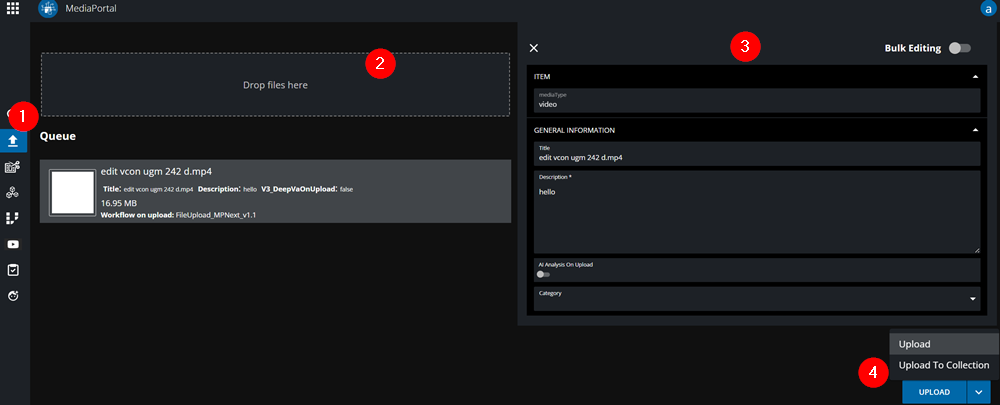
Naturally, any system requires media - and MediaPortal is no exception. Users can ingest local material through the upload option in on the main navigation bar (1). After which, the ingest menu prompted offering an area (2) in which local files can be dragged into.
As shown in the mage below, any already added files will be visible in the queue. This ensures that the user has an overview of the material they are adding. Additionally users get to choose whether to simply upload their files into the system or specify metadata (3) and whether to add it to a collection (4).
Upload with format detection
Different media files and formats are detected when you drag files into the upload dialog. It is now configurable which metadata is displayed or which VidiFlow Workflow is triggered for the corresponding format.
Upload to Collections
-
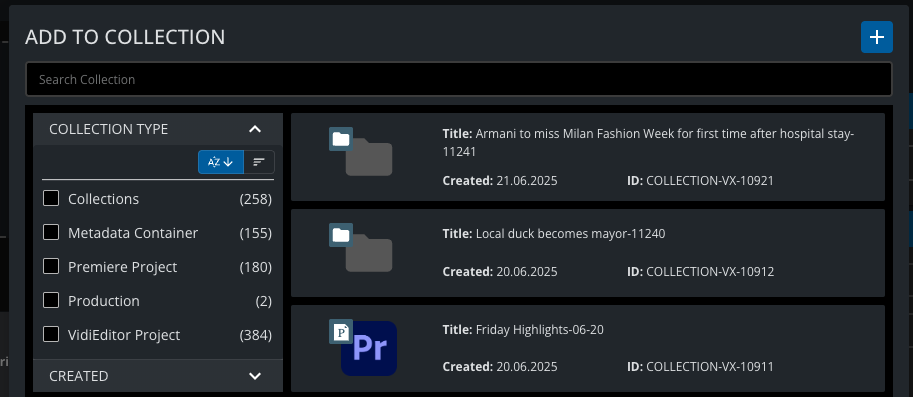
During upload, users select from available Collection Types.
-
Files are automatically organized into the selected collection.
-
VidiEditor and Premiere uploads add files directly to the latest project version.
Assign Access Rights
-
If enabled, users can define Owner Rights during upload.
-
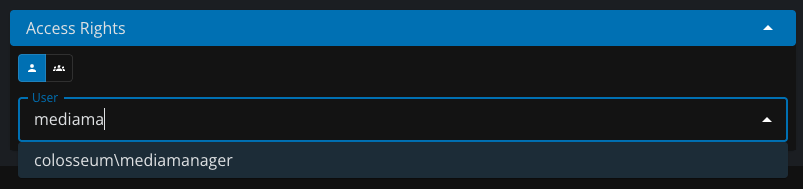
Ownership can be assigned to users or groups.