
A Placeholder assignment dialogue can be configured in ConfigPortal. This allows to bind items to Placeholder Collections resulting in inheritance of metadata. This can be achieved while:
-
Configuration of the option in context menu in:
ConfigPortal → MediaPortal → Context Menu Items → Defintion (see Context Menu Items )
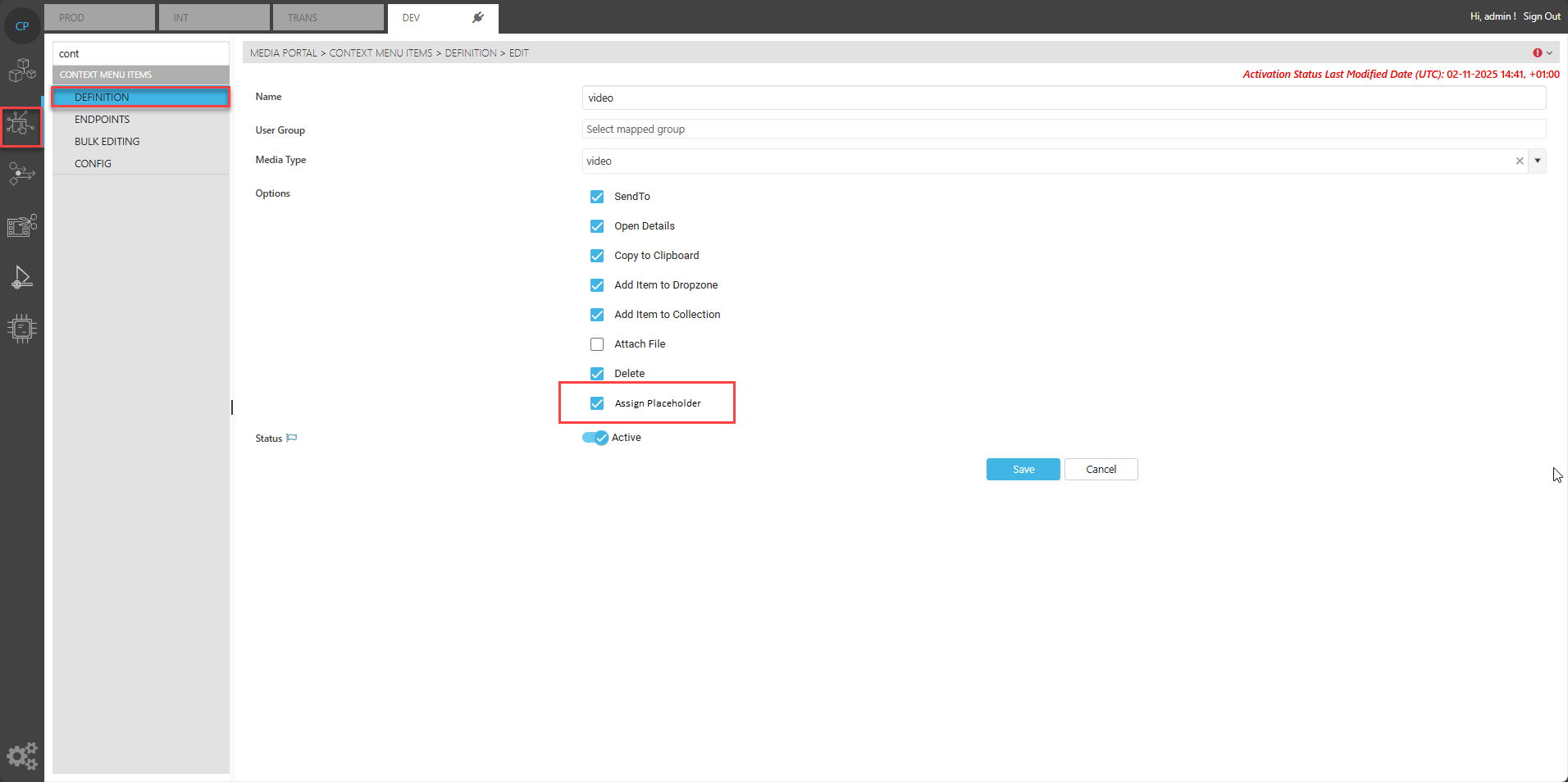
While simply enabling the option for the desired type and ACL group.
This will result in a context menu entry on the result grid in MediaPortal allowing a user to open the Placeholder dialogue on an item.
-
Configuration of the Placeholder dialogues behaviour in:
ConfigPortal → MediaPortal → Add to Collection → Placeholder
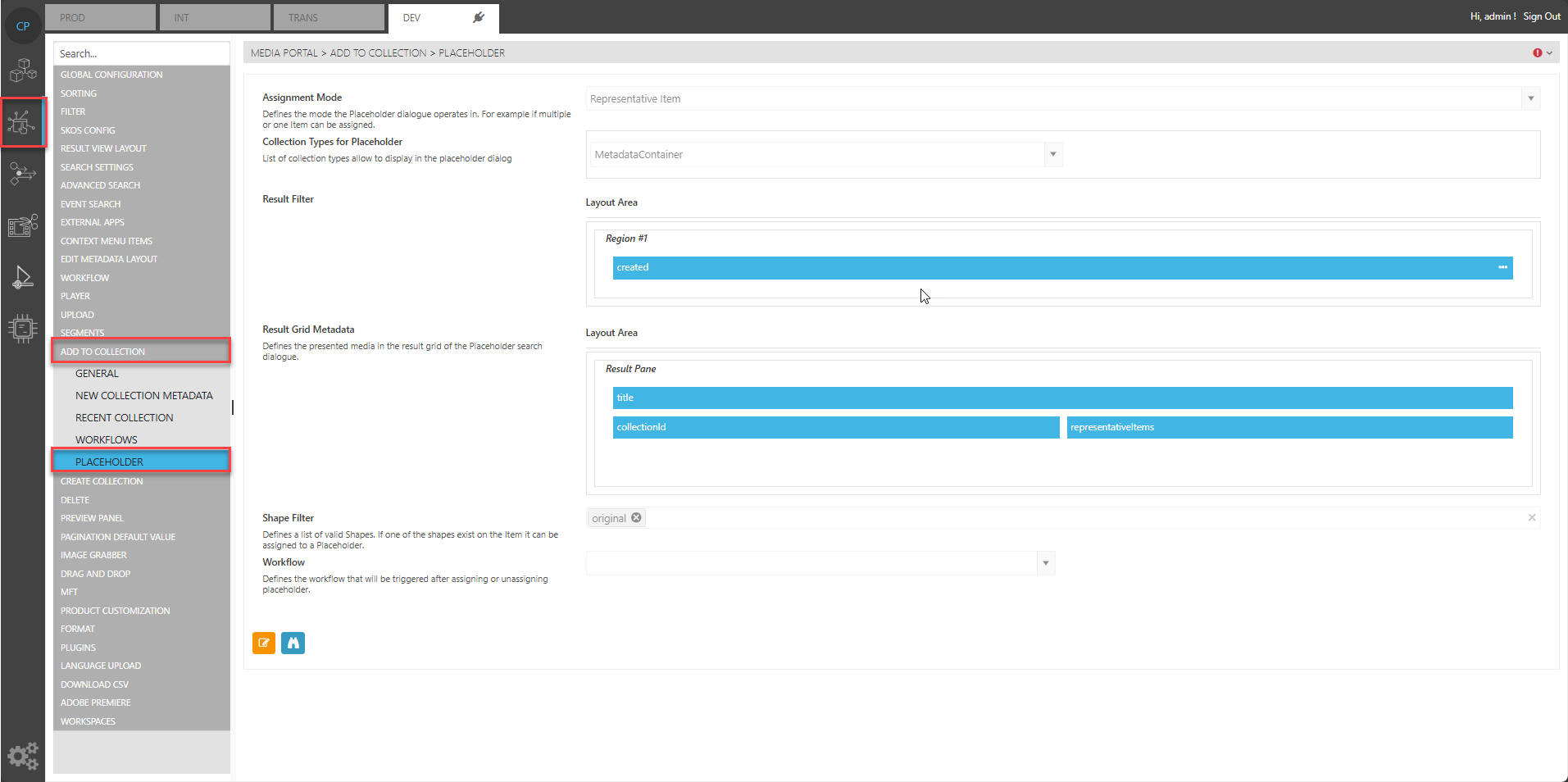
Following options can be configured:
Assignment Mode:
Switches between “Multiple Assignment” and “Representative Item”. When “Multiple Assignment” is chosen the user can add multiple items to a placeholder collection and all will inherit the metadata dependent on the metadata configuration. This acts basically like the add to collection dialogue Add to Collection.
If “Representative Item” is selected the dialogue marks 1 item as the representative item being the relavent item of the placeholder. Only on item of the placeholder collection can be the representative one.
Collection Type for Placeholder:
This defines all collection types valid for placeholder assignment. Those can be selected in the dialogues filter area if multiples are configured.
Result Filter:
Allows to define additional filters to more easily filter the result grid displaying the placeholder objects.
Result Grid Metadata:
This defines the displayed metadata of placeholders in the result grid based on the metadata definition.
Usually it makes sense to add the RepresentativeItem Medtadata here if mode is set to RepresentativeItem as it indicates if a placeholder was already assigned.
Shape Filter:
This allows to set an additional filter based on available shapes of an item. If left empty no filtering will take place. If ShapeTags are configured here an item must at least have 1 of the configured shapes to open the placeholder dialogue.
Workflow:
This allows to configure a workflow that will be executed when the user clicks on the assign button of the placeholder dialgoue.