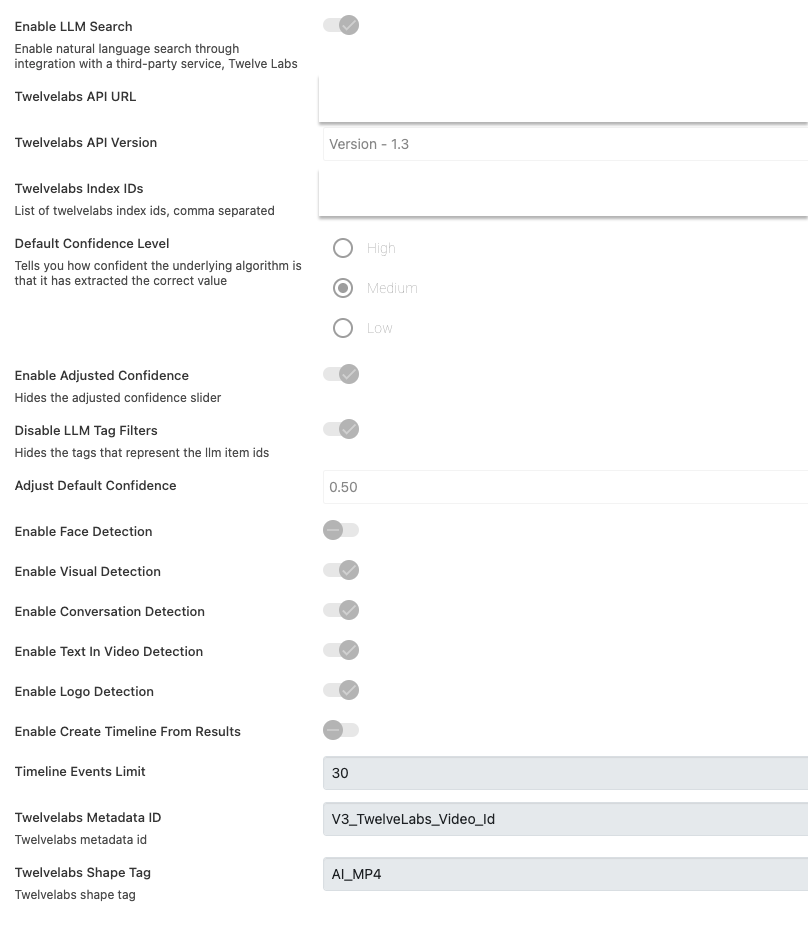
Disabling Initial Search
By default, MediaPortal is configured to initiate an initial search upon launch, providing an overview of existing content with news objects displayed prominently. However, if necessary, this search functionality can be deactivated. In this mode, the application will display all its functions without automatically conducting the initial search. Users retain the ability to manually trigger the initial search as needed.
Note: This will also overwrite set Default Searches, requiring the user to run this manually.
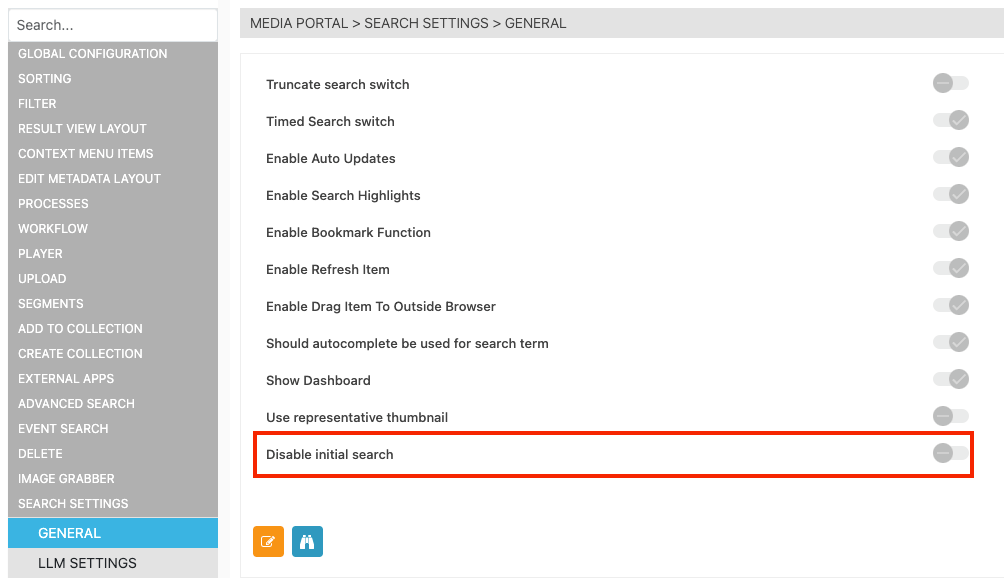
Utilizing Representative Thumbnails
In certain scenarios dictated by usage patterns and workflow configurations, an item within MediaPortal may be assigned a "Representative Thumbnail." In such cases, the MediaPortal will exclusively load this designated thumbnail when generating result views, streamlining the display process.
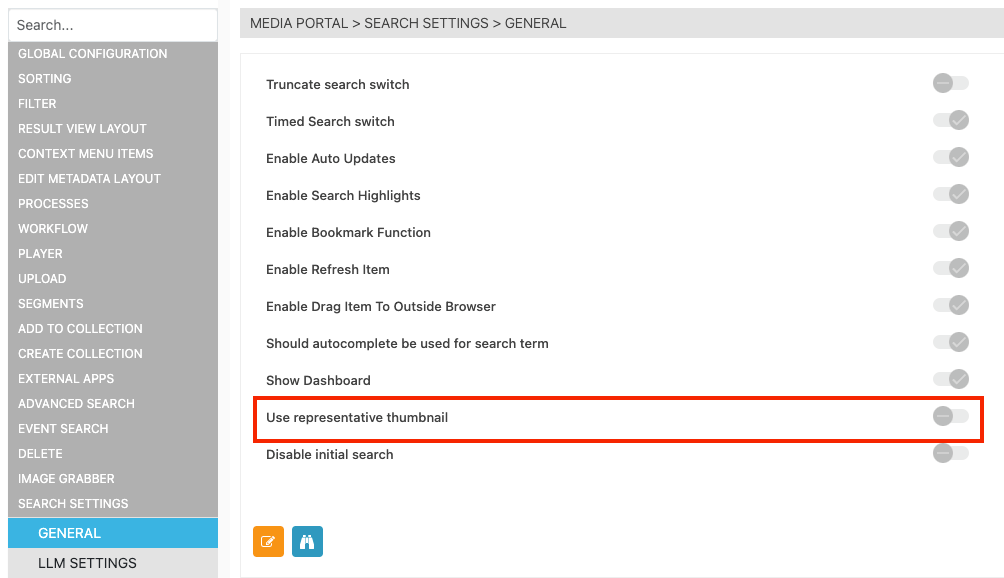
Loading Filter Cards Upon Request
By default, MediaPortal's Filter section is programmed to execute an initial request to load potential values from the filter cards. However, depending on the range of values present in specific fields, it may be advisable to load these values individually upon user interaction, such as clicking on a field within the filters. This approach ensures a more responsive and efficient filtering experience, particularly in cases where the variance of values necessitates a more tailored loading mechanism.
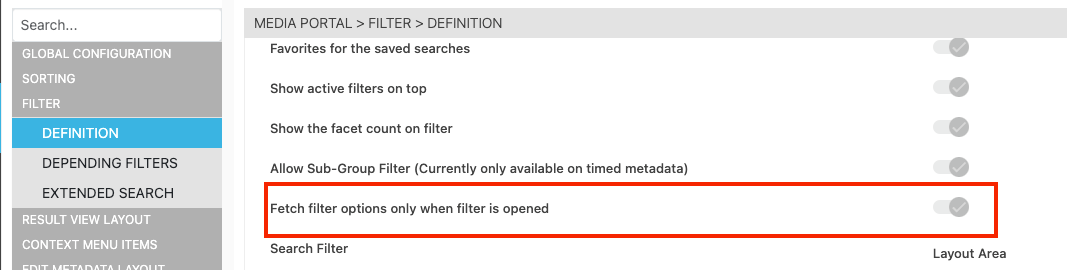
LLM - Large Language Model Twelve Labs
Navigate to: ConfigPortal > MEDIA PORTAL > SEARCH SETTINGS > LLM SETTINGS
-
Enable LLM Search:Enable/Disable
-
Twelvelabs API URL: Insert the endpoint of twelbeLabs API
-
Twelvelabs API Version: Selecte between version 1.2(legacy) and 1.3
-
Twelvelabs Index IDs: Select the corresponding ID
-
Default Confidence Level: Select the default confidence level shown to user
-
Enable Adjusted Confidence: Should be value be shown?
-
Disable LLM Tag Filters: Hides the tags that represent the llm item ids
-
Adjust Default Confidence: Set the default value. Config comes default with 0.5
-
Enable Face Detection: Should Face Detection be shown (only 1.2 - visual on 1.3)
-
Enable Visual Detection: Should Visual Detection be shown (1.3)
-
Enable Conversation Detection: Should Conversation Detection be shown (only 1.2 - audio on 1.3)
-
Enable Text In Video Detection: Should Face Detection be shown (only 1.2 - visual on 1.3)
-
Enable Logo Detection: Enabled (only 1.2 - visual on 1.3)
-
Enable Create Timeline From Results: Enables magic wand button
-
Timeline Events Limit: Default is 30
-
Twelvelabs Metadata ID: V3_TwelveLabs_Video_Id - Should not be changed
-
Twelvelabs Shape Tag: Typically AI_MP4
API Key Management:
-
The new proxy service requires setting the TwelveLabs API Key in the environment variables during deployment.