
The effects pane is used to list elements that are usable on the timeline. A user can select elements from here and add it to the timeline where needed.
The term effects might be misleading here as users might search for video effects such as scale or position. Those act more as attributes of a video that are available on default. So they do not need to be enriched to the media, they are just available and can be changed via the setting/adjustments pane. See also Video Effects.
At the moment following elements are available:
-
Video Transitions Transitions
-
Soft Dissolve
-
Dip to Black
-
Dip to White
-
-
Audio Transitions Transitions
-
Cross fade
-
-
Animated Graphics bases on configurable templates Animated Graphics [VE UG]
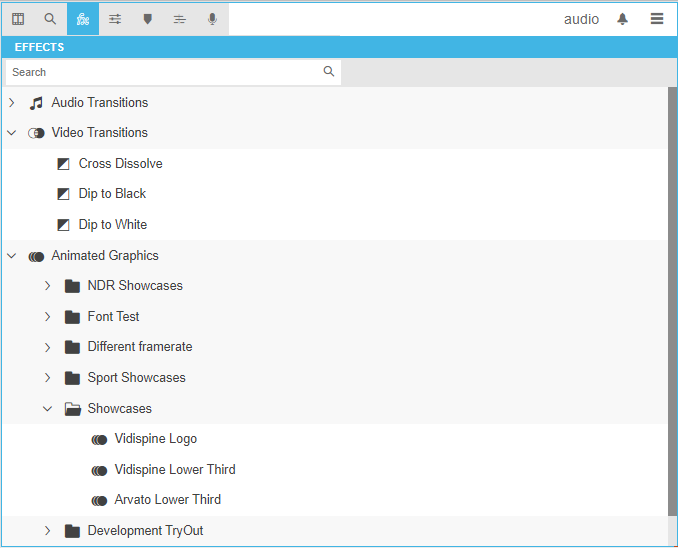
The pane can be opened by clicking its tab and a navigation tree will appear where the user can select the usable elements from.